topimageprompttopimageprompt
Explore

BROWSE BY

  • By AI EngineMidjourney, DALL-E, Stable Diffusion
  • By MoodDark, Dreamy, Epic, Minimal, Warm
  • By Aspect RatioSquare 1:1 · Portrait 9:16 · Wide 16:9

LIBRARY SIZE

  • 600 PromptsTotal in library
  • 12 CategoriesAcross all styles
  • Updated DailyNew prompts every day
Collections

Curated Collections

View all
World Cup 2026 AI PromptsWorld Cup 2026 AI PromptsWorld Cup 2026 AI PromptsWorld Cup 2026 AI Prompts
World Cup 2026 AI Prompts
57 Prompts
Trending

Trending Now

Updated hourly
CEO Headshot Upgrade
GPT Image 2 · 3 copies
#1
Japanese Ama Freediver Surfacing Ocean Dawn
GPT Image 2 · 3 copies
#2
Wildfire Smoke Sunset Portrait
GPT Image 2 · 2 copies
#3
Blizzard Portrait: Into the White
GPT Image 2 · 2 copies
#4
Legend 30th Anniversary Reissue Cover
GPT Image 2 · 2 copies
#5
This week's most copied prompt
Blog

Latest Articles

View all
How to Get Canva Pro for FREE in 2026: The Complete Student & Creator Guide (Magic Studio AI)
AI Tools & Design · Aug 13, 2026
How to Get GPT-5.6 (Sol & Luna) and Frontier 2026 AI Models for FREE: 5 Legit Working Methods
AI Tools & Tutorials · Aug 13, 2026
How to Get GitHub Copilot for FREE (100% Legal): The Step-by-Step Student Developer Pack Guide (2026)
AI Tools & Developer Guides · Aug 12, 2026
Get weekly prompt tipsRead the Blog
Sign in
topimageprompttopimageprompt
Sign in
ExploreCollectionsTrendingBlog
topimageprompttopimageprompt
ExploreCollectionsTrendingBlog
Sign in
Loading page content
topimageprompttopimageprompt

The world's cleanest AI prompt library. Browse, discover, and copy prompts for your favorite image generator.

Explore

  • All Prompts
  • Models & Styles
  • Trending
  • New Arrivals
  • Collections
  • Blog
  • Site Map

Categories

  • Photorealism
  • Cyberpunk
  • 3D Render
  • Anime
  • Dark Fantasy
  • All Categories

Stay Updated

Get weekly prompt drops and style guides in your inbox.

No spam. Just new prompt alerts.

© 2026 topimageprompt. All rights reserved.
About
Editorial Policy
Privacy Policy
Terms of Use
Contact
Site Map
Loading page content
Home/Blog/AI Tools & Design/How to Get Canva Pro for FREE in 2026: The Complete Student & Creator Guide (Magic Studio AI)
AI Tools & DesignUpdated Aug 13, 2026

How to Get Canva Pro for FREE in 2026: The Complete Student & Creator Guide (Magic Studio AI)

Discover working methods to get Canva Pro features and Magic Studio AI for free in 2026. Step-by-step guide to Canva for Education, Campus access, and perks.

T
topimageprompt Team5 min read · Last reviewed Aug 13, 2026
Canva Pro freeCanva for EducationCanva student discountCanva Magic Studio AICanva for CampusStudentOffers
On this page
⚠️ The Truth: Is Canva Pro in the GitHub Student Pack in 2026?🎓 Method 1: Canva for Education (100% Free for K-12 Students & Teachers)What You Get for Free:How to Claim:🏛️ Method 2: Canva for Campus (Higher-Education & University Students)How It Works:🪄 Method 3: Maximize Canva Free with Free AI Workflows🚀 Method 4: The 100% Free Student Design Alternatives1. Figma Professional (100% Free for Students — $240/yr Value)2. Adobe Creative Cloud Student Bundle (71% Discount)⚠️ Warning: Avoid "Canva Pro Lifetime / Team Hack" Links💡 Maximize Your Creative Stack in 2026Frequently asked questions
On this page 13 sections
⚠️ The Truth: Is Canva Pro in the GitHub Student Pack in 2026?🎓 Method 1: Canva for Education (100% Free for K-12 Students & Teachers)What You Get for Free:How to Claim:🏛️ Method 2: Canva for Campus (Higher-Education & University Students)How It Works:🪄 Method 3: Maximize Canva Free with Free AI Workflows🚀 Method 4: The 100% Free Student Design Alternatives1. Figma Professional (100% Free for Students — $240/yr Value)2. Adobe Creative Cloud Student Bundle (71% Discount)⚠️ Warning: Avoid "Canva Pro Lifetime / Team Hack" Links💡 Maximize Your Creative Stack in 2026Frequently asked questions
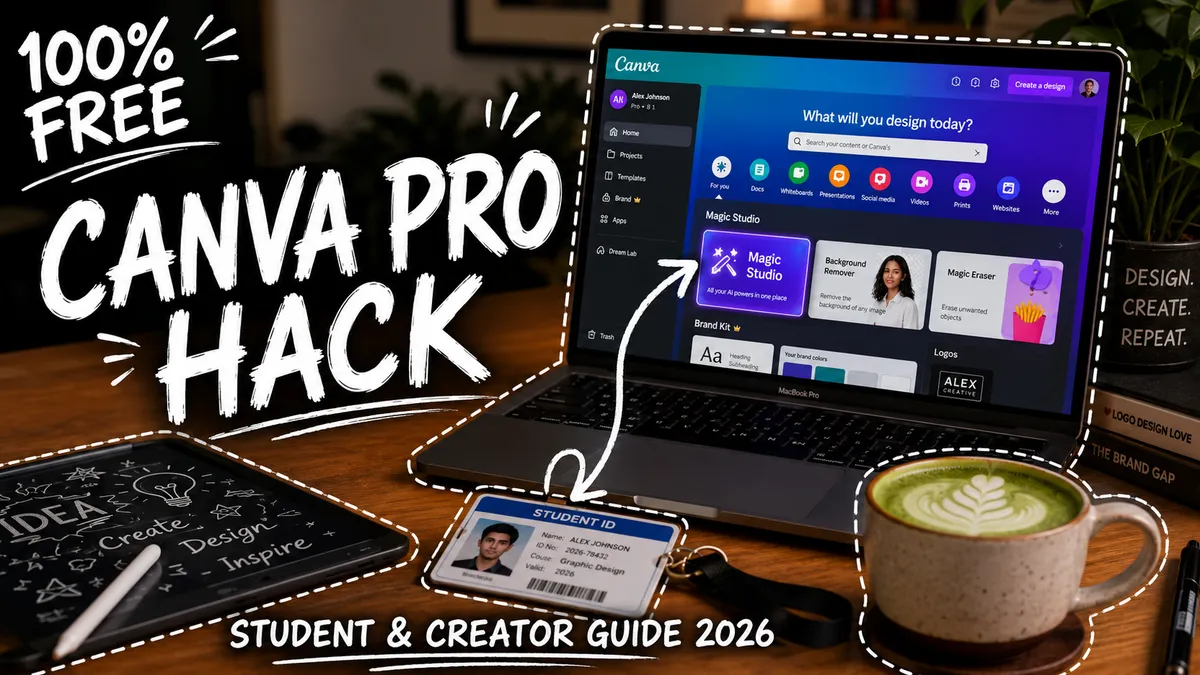
A modern graphic designer workspace showing Canva with Magic Studio AI tools unlocked and hand-drawn doodles reading 100% FREE CANVA PRO
✓

Key takeaways

While Canva Pro is no longer in the GitHub Student Pack, students and educators can unlock 100% free Canva Pro features through Canva for Education (K-12) or Canva for Campus by logging in with their verified school domain (.edu). Alternatively, you can access free Magic Studio AI credits on Canva Free, or use 100% free student alternatives like Figma Pro ($240/yr value) and Adobe Express.

Canva is the undisputed king of fast graphic design in 2026. From YouTube thumbnails and Instagram reels to classroom presentations and brand logos, everyone uses it.

However, Canva Pro costs $13/month or $120/year.

Without Pro, essential features like One-Click Background Remover, Magic Studio AI, Custom Fonts, and 100+ million premium stock photos are locked behind a paywall.

If you are a student, teacher, or budget-conscious creator, you don't need to pay.

This guide reveals the 100% verified, legal methods to get Canva Pro features for $0 in 2026, explains why old GitHub Pack guides are outdated, and shares the best free alternatives.


⚠️ The Truth: Is Canva Pro in the GitHub Student Pack in 2026?

If you search Google or YouTube, hundreds of outdated tutorials claim you can get Canva Pro through the GitHub Student Developer Pack.

Here is the 2026 reality: Canva officially discontinued its partnership with the GitHub Student Developer Pack.

If you try applying for GitHub Education expecting Canva Pro, it will not appear in your pack benefits.

Fortunately, Canva launched dedicated educational programs that replace this offer directly.


🎓 Method 1: Canva for Education (100% Free for K-12 Students & Teachers)

Canva offers Canva for Education, which is completely free for eligible primary and secondary school teachers, staff, and students.

CODE
[Visit canva.com/education] ➔ [Sign in with School Email] ➔ [Instant Pro Features Unlocked]

What You Get for Free:

  • Magic Studio AI Tools: Unlimited Magic Eraser, Magic Expand, and Magic Write.
  • Background Remover: 1-Click background removal for images and videos.
  • 100+ Million Premium Assets: Stock photos, vectors, audio, and video clips.
  • Brand Kits & Unlimited Folders: Organize designs and upload custom fonts.
  • 100 GB Cloud Storage: Store high-resolution exports and video projects.

How to Claim:

  1. Go to canva.com/education.
  2. Click "Get verified" or "Sign Up".
  3. Enter your official school email address.
  4. If your school or district is registered with Google Classroom or Microsoft Education, verification is instant.

🏛️ Method 2: Canva for Campus (Higher-Education & University Students)

For college and university students, Canva provides the Canva for Campus program.

How It Works:

Instead of individual student upgrades, universities partner directly with Canva to provide campus-wide Pro access:

  • Open Canva.com in an incognito window.
  • Click "Continue with Work/School Email" or "Sign in with Single Sign-On (SSO)".
  • Enter your official university email (e.g., student@university.edu or .ac.uk).
  • If your campus has an active Canva agreement, you will be redirected to your university portal and logged into a Canva Campus Pro Team with zero payment required.

🪄 Method 3: Maximize Canva Free with Free AI Workflows

If your school does not have an active Canva partnership, you can still produce Pro-level graphics on the Canva Free tier by pairing it with external free AI tools:

Canva Pro Feature ($13/mo) How to Replace It for Free ($0)
Magic Media Image Generator Generate 4K photorealistic images on Hugging Face FLUX.1 or Perchance and upload them to Canva.
Background Remover Use free tools like Adobe Free Background Remover or Photoroom before dropping images into Canva.
Magic Write Copywriter Generate catchy headlines and copy using GPT-5.6 Luna on chatgpt.com (with the 'Think' reasoning toggle).
Custom Graphic Prompts Copy tested design prompts from our library: 👉 Explore TopImagePrompt Library →.

🚀 Method 4: The 100% Free Student Design Alternatives

According to student perk registries like StudentOffers.co, several world-class design tools offer 100% free professional student plans that outshine Canva for advanced UI/UX and graphic design:

1. Figma Professional (100% Free for Students — $240/yr Value)

Figma offers its full Professional Plan completely free to all students and educators.

  • What You Get: Unlimited design files, team collaboration, Dev Mode, and access to thousands of community plugins and AI vector generators.
  • How to Claim: Visit figma.com/education and upload a photo of your student ID. Approval takes under 5 minutes.

2. Adobe Creative Cloud Student Bundle (71% Discount)

While not completely free, verified students get full access to Photoshop, Illustrator, Premiere Pro, and Adobe Express at a massive 71% educational discount via SheerID verification.


⚠️ Warning: Avoid "Canva Pro Lifetime / Team Hack" Links

When browsing Telegram, Reddit, or YouTube, you will see links offering:

  • "Click here to join Canva Pro Lifetime Team for free"
  • "Download Canva Pro Modded APK"

Do not use these.

  1. Public Privacy Risk: These links add you to random stranger teams where other members can view, edit, or delete your private designs.
  2. Sudden Account Bans: Canva continuously sweeps and shuts down unauthorized team links, wiping all designs created within that team.
  3. Malware Risk: "Modded" APKs and extensions inject ad-fraud scripts into your browser.

Stick to official Canva for Education, Canva for Campus, or verified platforms like Figma for Education.


💡 Maximize Your Creative Stack in 2026

  • Need Free AI Code Completion? Check out our guide: How to Get GitHub Copilot for FREE (Student Pack Guide).
  • Want Free GPT-5.6 Frontier Models? Read our guide on How to Get GPT-5.6 (Sol & Luna) for FREE in 2026.
  • Want Viral Image Ideas? Check out our viral collection: 50 ChatGPT Photo Transformation Prompts (2026).
Quick answers

Frequently asked questions

Is Canva Pro still included in the GitHub Student Developer Pack?+
No. Canva Pro has been discontinued from the GitHub Student Developer Pack. However, students and teachers can still get 100% free access to Pro design features and Magic Studio AI through Canva for Education and Canva for Campus using their verified school email address.
How do I get Canva for Education or Canva for Campus for free?+
Visit canva.com/education, click 'Sign Up as a Student' or 'Teacher', and log in using your school-issued educational email (such as .edu, .ac.uk, or your school domain). If your institution is registered, your account instantly unlocks unlimited Pro templates, Magic Studio AI tools, and background removal at zero cost.
What are the best free alternatives to Canva Pro for students?+
If you cannot get Canva Pro through your school, the best free alternative is Figma Pro (which is 100% free for all verified students and worth $240/year), Adobe Express for Education, or using free AI image generators like FLUX.1 and Perchance combined with TopImagePrompt prompt templates.
Share
Continue creating

Try these related prompts

Explore all prompts →
CEO Headshot Upgrade example
GPT Image 2

CEO Headshot Upgrade

Photorealistic AI image prompt

View prompt →
Japanese Ama Freediver Surfacing Ocean Dawn example
GPT Image 2

Japanese Ama Freediver Surfacing Ocean Dawn

Photorealistic AI image prompt

View prompt →
Legend 30th Anniversary Reissue Cover example
GPT Image 2

Legend 30th Anniversary Reissue Cover

Album Art AI image prompt

View prompt →
Double Exposure Album Portrait example
GPT Image 2

Double Exposure Album Portrait

Album Art AI image prompt

View prompt →
Forest Double Exposure example
GPT Image 2

Forest Double Exposure

Digital Art AI image prompt

View prompt →
Projected Texture Map example
GPT Image 2

Projected Texture Map

Photorealistic AI image prompt

View prompt →
Get the next practical AI guideOne useful workflow each week. No noise.