Key instructions to preserve
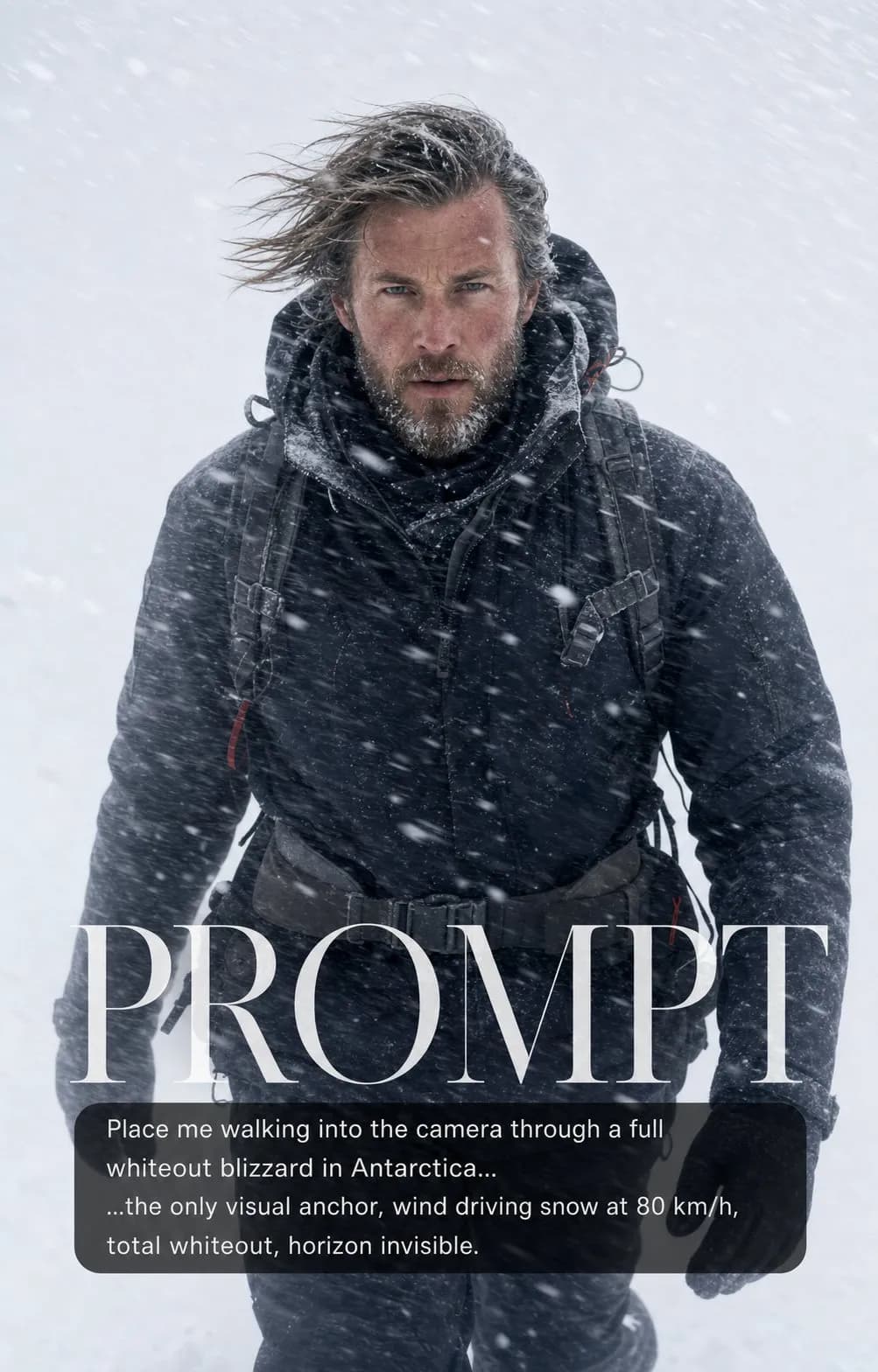
A determined Norwegian man in his mid-30s with windburned cheeks and sharp focused eyes walks directly toward the camera through a full whiteout Antarctic blizzard
IDENTITY LOCK: Use the uploaded photo as the sole identity reference. Preserve the subject's facial structure, skin tone, eye shape, hairstyle, and distinguishing features so the person remains instantly recognizable. Do not beautify, reshape, or replace the face. A determined Norwegian man in his mid-30s with windburned cheeks and sharp focused eyes walks directly toward the camera through a full whiteout Antarctic blizzard - snow driven horizontally at 80 km/h creates motion-blur streaks at 45 degrees across the frame. Behind him: total whiteout, horizon completely invisible, sky and ground merged into a single white field. He is the only visual anchor. Dark layered winter gear, hair and fabric streaming with the snow direction. A few individual snowflakes sharp in the immediate foreground. Polar documentary photography, 50mm, f/4, 1/500s. HARD CONSTRAINTS: Keep the uploaded person's identity intact throughout the transformation. Do not add text, logos, watermarks, or a cover-style prompt overlay.

2 people have copied this prompt
Blizzard Portrait: Into the White is a cinematic prompt for GPT Image 2, composed for a 4:5 image. A determined Norwegian man in his mid-30s with windburned cheeks and sharp focused eyes walks directly toward the camera through a full whiteout Antarctic blizzard
A determined Norwegian man in his mid-30s with windburned cheeks and sharp focused eyes walks directly toward the camera through a full whiteout Antarctic blizzard
Keep the prompt structure, then replace the main subject, action, or environment in "A determined Norwegian man in his mid-30s with windburned cheeks and sharp focused eyes walks directly toward the camera through a full whiteout Antar...".
Adjust one visual signal at a time, such as "50mm", "f/4", "blizzard portrait ai", "snow storm portrait", so you can identify which instruction changes the result.
Keep the focal subject prominent in the portrait frame while preserving enough background detail for feed and poster layouts.
Use one clear reference image and retain the identity-lock instructions when changing clothing, lighting, background, or camera direction.
Use direct natural-language edits after the first generation. State what must remain unchanged before describing the single element you want to revise.
Judge the result by a readable focal subject, motivated lighting, controlled color contrast, and enough environmental context to tell a story.
Three simple steps to generate your AI image.
Click the "Copy Full Prompt" button above to copy the entire prompt text to your clipboard instantly.
Open your preferred image generator and paste the prompt into the text input. You're ready to create.
Hit generate and watch the magic happen. Tweak the prompt parameters to make it your own.