Key instructions to preserve
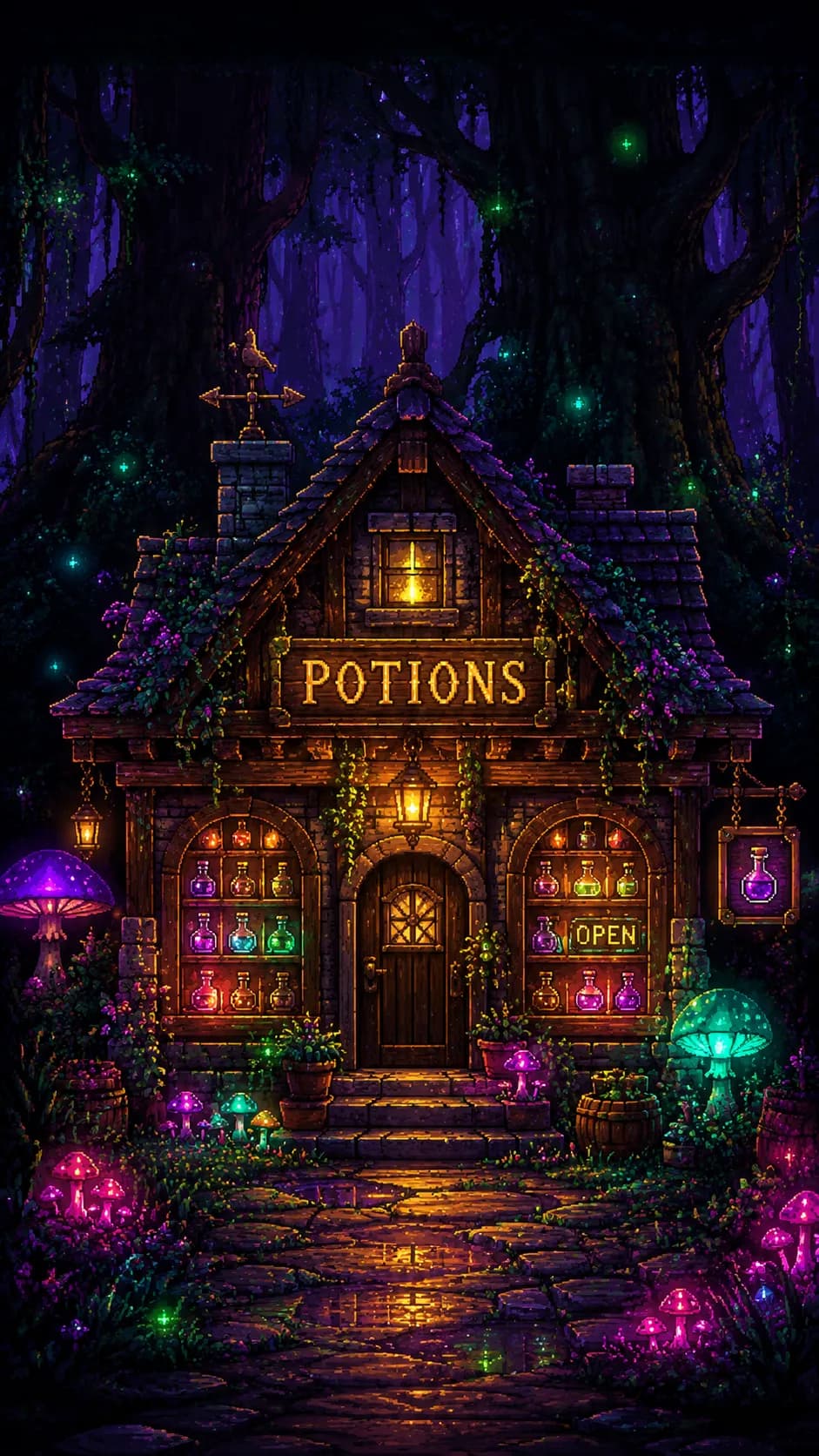
Subject] A cozy, highly detailed 16-bit pixel art storefront of a magical apothecary nestled within a dense, enchanted forest.
Subject] A cozy, highly detailed 16-bit pixel art storefront of a magical apothecary nestled within a dense, enchanted forest. A glowing wooden sign hanging above the door clearly reads "POTIONS" in crisp, perfectly pixelated typography, while a small illuminated sign in the window reads "OPEN". The display windows are filled with glass vials of glowing, bubbling liquids. [Style] The art direction utilizes a premium modern Pixel Art aesthetic, beautifully blending nostalgic retro SNES-era RPG game graphics with high-fidelity modern digital painting techniques and intricate sprite work. [Composition] Captured from a classic straight-on 2D side-scrolling perspective, perfectly centered in the frame, leaving the dark, towering silhouettes of ancient trees in the upper background to create moody, atmospheric negative space. [Lighting] Illuminated by glowing bioluminescent mushrooms and warm golden lantern light, casting soft, pixelated magical glows and dynamic volumetric lighting effects onto the cobblestone path below. [Color Palette] A magical, high-contrast palette consisting of deep midnight purple, glowing emerald green, vibrant neon pink, and warm golden amber. [Quality Boosters] 8K resolution, ultra-detailed pixel placement, crisp sprite edges, flawless typography integration, trending indie game design art, masterpiece. --ar 9:16
1 people have copied this prompt
16-Bit Magical Potion Shop Pixel Art is a pixel art prompt for GPT Image 2, composed for a 9:16 image. Subject] A cozy, highly detailed 16-bit pixel art storefront of a magical apothecary nestled within a dense, enchanted forest.
Subject] A cozy, highly detailed 16-bit pixel art storefront of a magical apothecary nestled within a dense, enchanted forest.
Keep the prompt structure, then replace the main subject, action, or environment in "Subject] A cozy, highly detailed 16-bit pixel art storefront of a magical apothecary nestled within a dense, enchanted forest.".
Adjust one visual signal at a time, such as "volumetric lighting", "9:16 composition", "Pixel Art style", so you can identify which instruction changes the result.
Compose vertically and keep important details away from the extreme top and bottom so the result works for stories and mobile wallpaper.
Use direct natural-language edits after the first generation. State what must remain unchanged before describing the single element you want to revise.
Judge the result by how clearly it communicates the intended pixel art direction while keeping the subject, environment, and visual treatment consistent.
Three simple steps to generate your AI image.
Click the "Copy Full Prompt" button above to copy the entire prompt text to your clipboard instantly.
Open your preferred image generator and paste the prompt into the text input. You're ready to create.
Hit generate and watch the magic happen. Tweak the prompt parameters to make it your own.