Key instructions to preserve
No beautification, no face reshaping, no expression change unless stated.
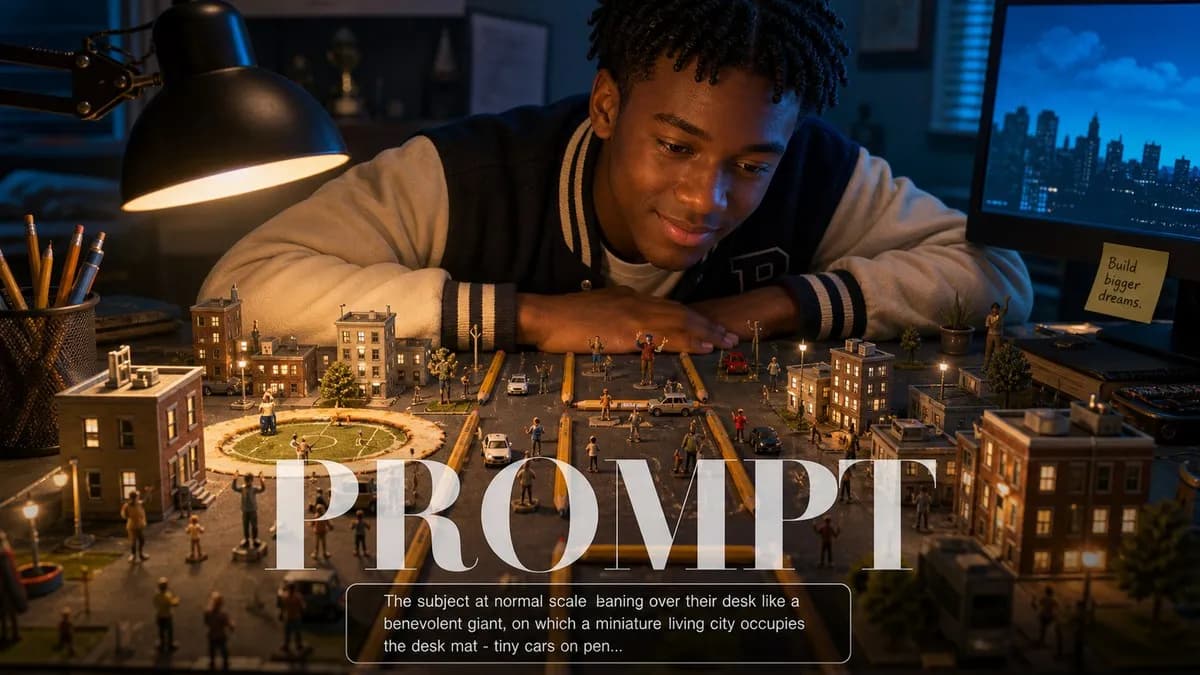
IDENTITY LOCK: Use the uploaded photo as the sole identity reference. Preserve the subject's facial structure, skin tone, eye shape, hairstyle, and every distinguishing feature exactly — the person must remain instantly recognizable. No beautification, no face reshaping, no expression change unless stated. SCENE: The subject at normal scale leaning over their desk like a benevolent giant, on which a miniature living city occupies the desk mat — tiny cars on pencil-avenue roads, a stadium made from a coffee-cup ring, minuscule citizens waving up at them. LIGHT: Desk lamp at 3200K acting as the city's low sun casting long tiny shadows, monitor glow at 6500K as its cool sky, the subject's face lit by both. CAMERA: 35mm f/4 from city-level across the desk so the subject looms softly behind the sharp miniature skyline. RULES: Scale cues honest (keyboard keys as building-sized); the subject's expression is gentle amusement; one tiny hot-air balloon rising past their chin.

0 people have copied this prompt
Desktop Civilization Builder is a surrealism prompt for GPT Image 2, composed for a 16:9 image. No beautification, no face reshaping, no expression change unless stated.
No beautification, no face reshaping, no expression change unless stated.
Keep the prompt structure, then replace the main subject, action, or environment in "No beautification, no face reshaping, no expression change unless stated.".
Adjust one visual signal at a time, such as "35mm", "f/4", "desktop civilization builder prompt", "scale miniature illusions ai prompt", so you can identify which instruction changes the result.
Use the wide frame to establish the environment, place supporting details around the subject, and maintain a clear focal point.
Use one clear reference image and retain the identity-lock instructions when changing clothing, lighting, background, or camera direction.
Use direct natural-language edits after the first generation. State what must remain unchanged before describing the single element you want to revise.
Judge the result by how clearly it communicates the intended surrealism direction while keeping the subject, environment, and visual treatment consistent.
Three simple steps to generate your AI image.
Click the "Copy Full Prompt" button above to copy the entire prompt text to your clipboard instantly.
Open your preferred image generator and paste the prompt into the text input. You're ready to create.
Hit generate and watch the magic happen. Tweak the prompt parameters to make it your own.