Key instructions to preserve
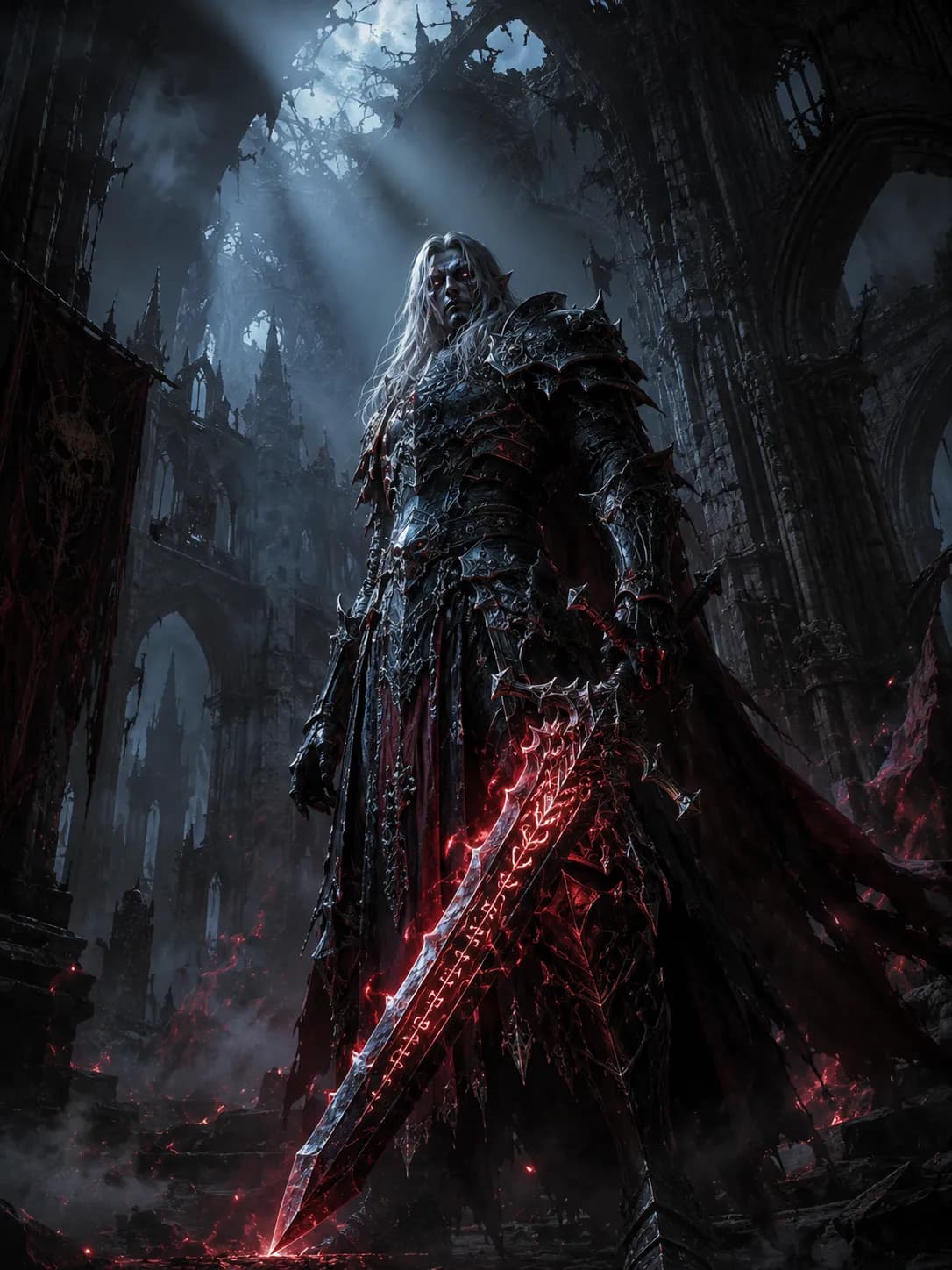
A formidable high-elven death knight wearing intricate, blackened gothic plate armor, holding a massive, glowing rune-etched greatsword, standing solemnly amidst the crumbling ruins of an ancient, mist-filled cathedral.
[Subject] A formidable high-elven death knight wearing intricate, blackened gothic plate armor, holding a massive, glowing rune-etched greatsword, standing solemnly amidst the crumbling ruins of an ancient, mist-filled cathedral. [Style] The art direction utilizes the highly trending Dark Fantasy aesthetic, blending hyper-realistic grimdark concept art with high-end Souls-like RPG character design, featuring heavily distressed and ornate metallic textures. [Composition] Captured from a dramatic low-angle hero perspective, placing the knight slightly off-center following the rule of thirds. The towering, jagged stone arches in the background frame the character perfectly, creating vast, eerie negative space overhead. [Lighting] Illuminated by intense cinematic chiaroscuro lighting, with piercing, cold moonlight cutting through the broken ceiling, creating thick volumetric fog rays that contrast beautifully against the ambient blood-red glow emitting from the weapon. [Color Palette] A moody, desaturated palette consisting of obsidian black, tarnished silver, deep blood red, and spectral cyan. [Quality Boosters] 8K resolution, ultra-detailed, sharp focus, Unreal Engine 5 render, grimdark masterpiece, photorealistic armor textures, dramatic depth of field. --ar 3:4
1 people have copied this prompt
Grimdark Gothic Knight Concept Art is a dark fantasy prompt for GPT Image 2, composed for a 16:9 image. A formidable high-elven death knight wearing intricate, blackened gothic plate armor, holding a massive, glowing rune-etched greatsword, standing solemnly amidst the crumbling ruins of an ancient, mist-filled cathedral.
A formidable high-elven death knight wearing intricate, blackened gothic plate armor, holding a massive, glowing rune-etched greatsword, standing solemnly amidst the crumbling ruins of an ancient, mist-filled cathedral.
Keep the prompt structure, then replace the main subject, action, or environment in "A formidable high-elven death knight wearing intricate, blackened gothic plate armor, holding a massive, glowing rune-etched greatsword, standing sole...".
Adjust one visual signal at a time, such as "low-angle", "16:9 composition", "Dark Fantasy style", so you can identify which instruction changes the result.
Use the wide frame to establish the environment, place supporting details around the subject, and maintain a clear focal point.
Use direct natural-language edits after the first generation. State what must remain unchanged before describing the single element you want to revise.
Judge the result by how clearly it communicates the intended dark fantasy direction while keeping the subject, environment, and visual treatment consistent.
Three simple steps to generate your AI image.
Click the "Copy Full Prompt" button above to copy the entire prompt text to your clipboard instantly.
Open your preferred image generator and paste the prompt into the text input. You're ready to create.
Hit generate and watch the magic happen. Tweak the prompt parameters to make it your own.