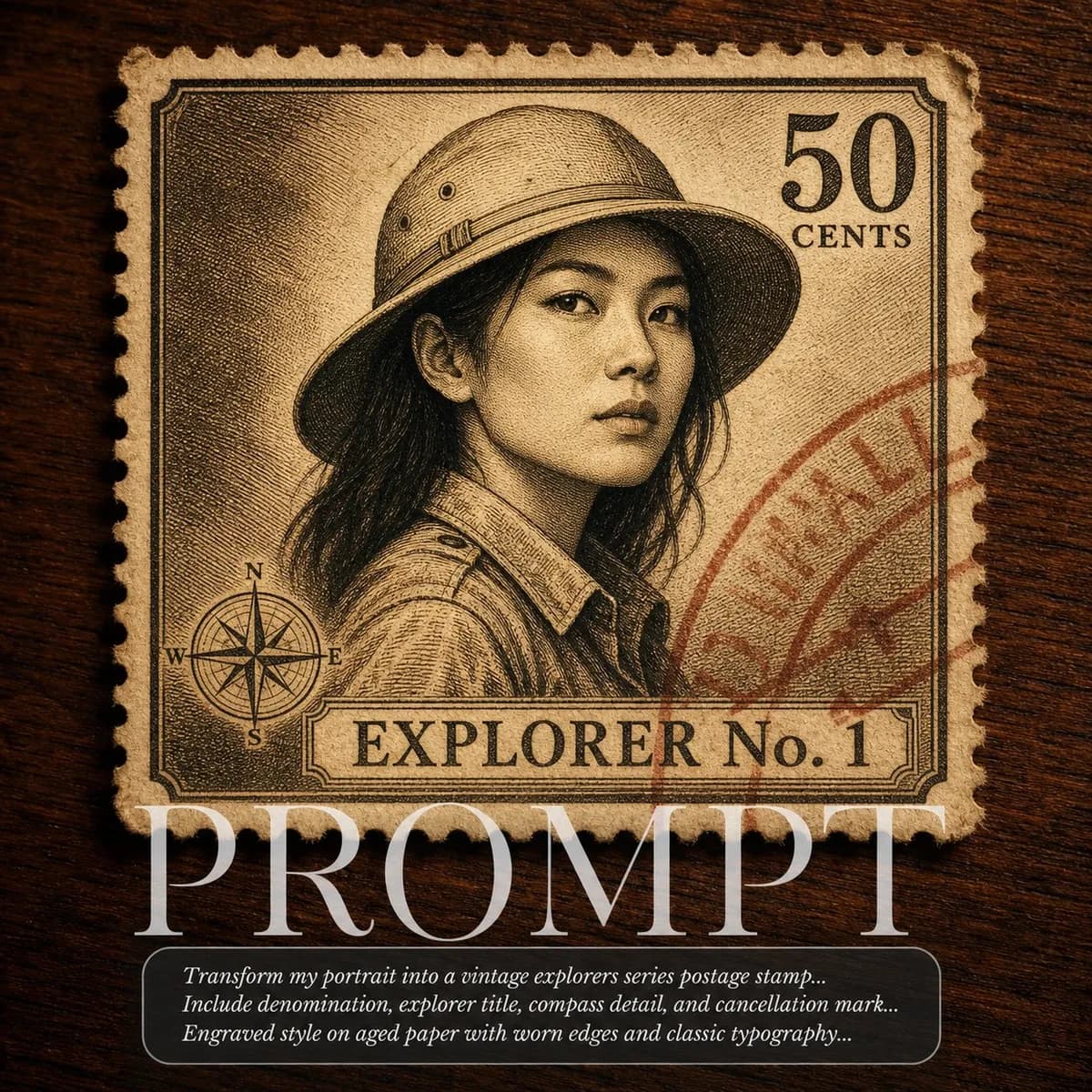
Key instructions to preserve
Render the uploaded person as a 1960s vintage explorers series postage stamp in warm sepia engraving on aged cream paper.
GuardrailKeep the uploaded person's identity intact throughout the transformation.
IDENTITY LOCK: Use the uploaded photo as the sole identity reference. Preserve the subject's facial structure, skin tone, eye shape, hairstyle, and distinguishing features so the person remains instantly recognizable. Do not beautify, reshape, or replace the face. Render the uploaded person as a 1960s vintage explorers series postage stamp in warm sepia engraving on aged cream paper. She wears a digitally added safari hat. Stamp reads "EXPLORER No. 1" at the bottom, "50 CENTS" top right, with a small compass rose etched in the lower left corner. Corners slightly worn, faint diagonal red cancellation postmark overlaid. Displayed on a dark walnut wood surface. Macro photography, warm amber light, slight vignette. HARD CONSTRAINTS: Keep the uploaded person's identity intact throughout the transformation. Do not add text, logos, watermarks, or a cover-style prompt overlay.
0 people have copied this prompt
Vintage Stamp Series: Explorer Edition is a concept art prompt for GPT Image 2, composed for a 1:1 image. Render the uploaded person as a 1960s vintage explorers series postage stamp in warm sepia engraving on aged cream paper.
Render the uploaded person as a 1960s vintage explorers series postage stamp in warm sepia engraving on aged cream paper.
Keep the prompt structure, then replace the main subject, action, or environment in "Render the uploaded person as a 1960s vintage explorers series postage stamp in warm sepia engraving on aged cream paper.".
Adjust one visual signal at a time, such as "Macro", "vintage stamp portrait", "explorer stamp ai prompt", "sepia portrait stamp", so you can identify which instruction changes the result.
Keep the subject near the visual center for a balanced square composition that works well for avatars, covers, and social posts.
Use one clear reference image and retain the identity-lock instructions when changing clothing, lighting, background, or camera direction.
Use direct natural-language edits after the first generation. State what must remain unchanged before describing the single element you want to revise.
Judge the result by how clearly it communicates the intended concept art direction while keeping the subject, environment, and visual treatment consistent.
Three simple steps to generate your AI image.
Click the "Copy Full Prompt" button above to copy the entire prompt text to your clipboard instantly.
Open your preferred image generator and paste the prompt into the text input. You're ready to create.
Hit generate and watch the magic happen. Tweak the prompt parameters to make it your own.