Key instructions to preserve
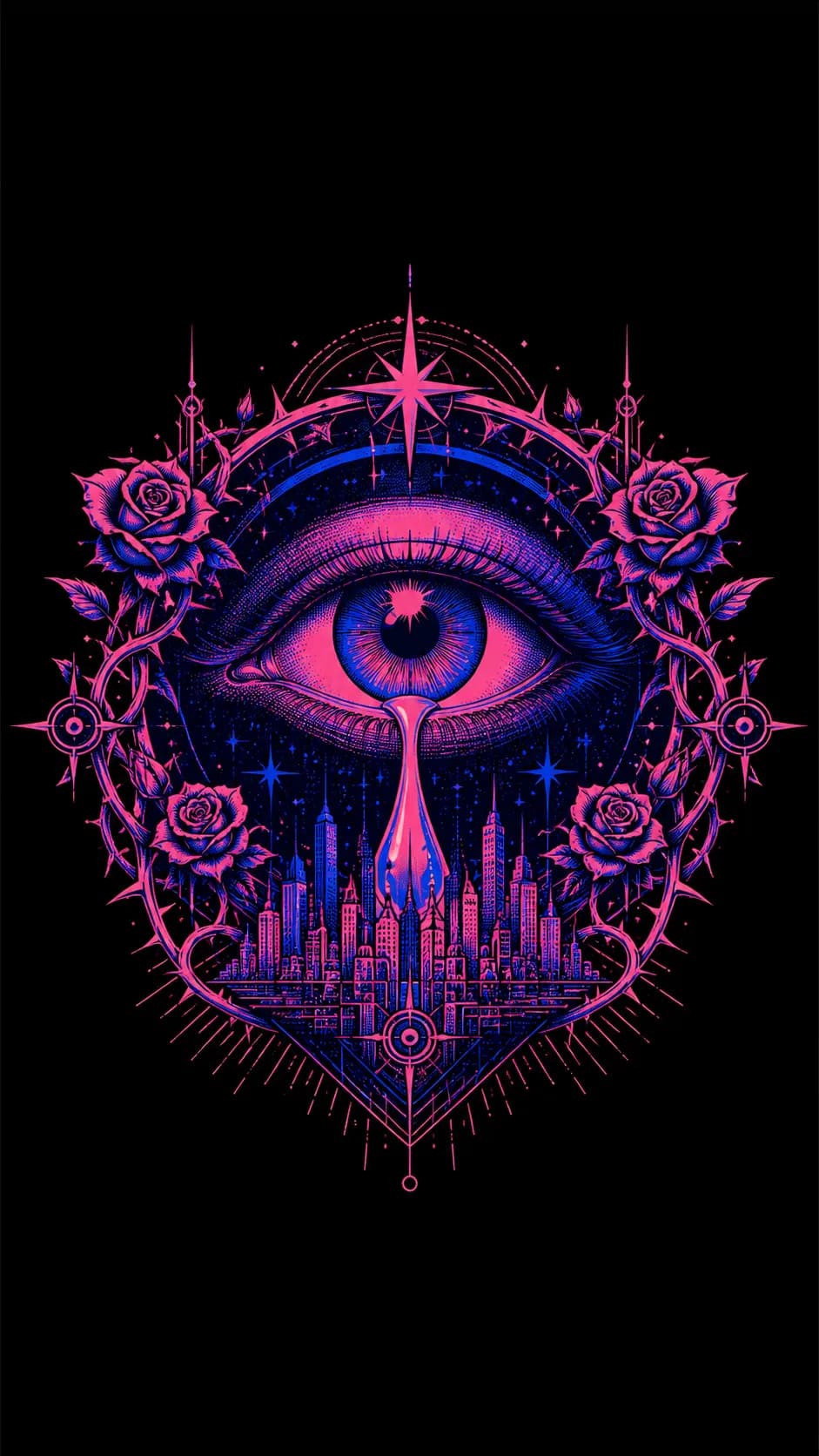
🎨 SUBJECT: A giant, stylized human eye weeping a single tear that transforms into a sprawling, geometric city skyline.
🎨 SUBJECT: A giant, stylized human eye weeping a single tear that transforms into a sprawling, geometric city skyline. 🌍 SETTING: A pitch-black background. The eye and city are enclosed within an ornate, symmetrical frame of thorny roses and radiating geometric stars. The top 25% and bottom 25% of the image are left as pure black void, acting as built-in borders for typography. ✨ LIGHTING & COLORS: Strict 2-color Risograph print aesthetic: Electric Neon Pink and Deep Cobalt Blue. High contrast, no gradients, purely overlapping halftone dots where the colors mix. 📐 COMPOSITION: 9:16 Portrait orientation. The central eye/city graphic is clustered in the middle third. The top and bottom sections are intentionally left completely blank and clean, making it a perfectly structured template for a poster designer to add the band name and tour dates. 🎨 STYLE: Indie Gig Poster Illustration, 2-color screen print style, modern surrealism, bold graphic linework, 8k resolution. 📱 ASPECT RATIO: 9:16 Portrait
0 people have copied this prompt
Gig Poster Eye & City Skyline 2-Color Screen Print is a illustration prompt for GPT Image 2, composed for a 9:16 image. 🎨 SUBJECT: A giant, stylized human eye weeping a single tear that transforms into a sprawling, geometric city skyline.
🎨 SUBJECT: A giant, stylized human eye weeping a single tear that transforms into a sprawling, geometric city skyline.
Keep the prompt structure, then replace the main subject, action, or environment in "🎨 SUBJECT: A giant, stylized human eye weeping a single tear that transforms into a sprawling, geometric city skyline.".
Adjust one visual signal at a time, such as "gig poster design", "indie band art", "screen print illustration", "risograph aesthetic", so you can identify which instruction changes the result.
Compose vertically and keep important details away from the extreme top and bottom so the result works for stories and mobile wallpaper.
Use direct natural-language edits after the first generation. State what must remain unchanged before describing the single element you want to revise.
Judge the result by consistent line, shape, texture, and palette choices across the subject and background.
Three simple steps to generate your AI image.
Click the "Copy Full Prompt" button above to copy the entire prompt text to your clipboard instantly.
Open your preferred image generator and paste the prompt into the text input. You're ready to create.
Hit generate and watch the magic happen. Tweak the prompt parameters to make it your own.