Key instructions to preserve
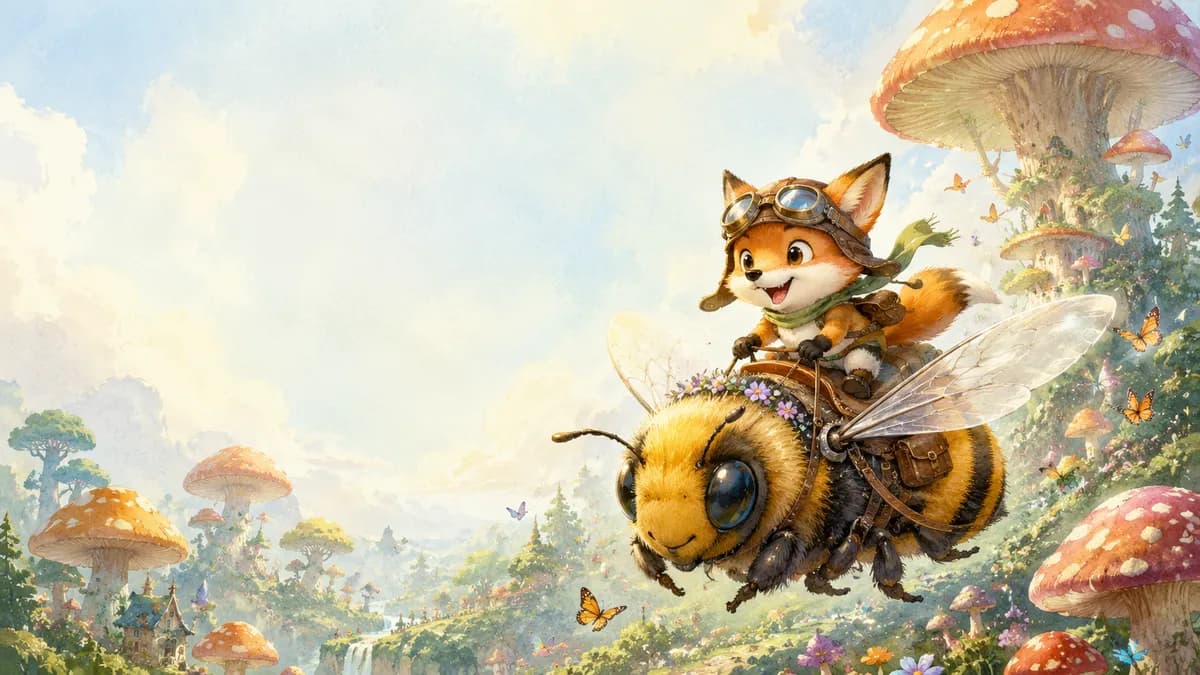
🎨 SUBJECT: A cute, adventurous young fox wearing a tiny aviator hat and goggles, riding on the back of a giant, friendly bumblebee.
🎨 SUBJECT: A cute, adventurous young fox wearing a tiny aviator hat and goggles, riding on the back of a giant, friendly bumblebee. 🌍 SETTING: Flying over a whimsical, lush magical forest with oversized, colorful mushroom trees. The top left area of the image is an open, soft pastel sky, intentionally left blank to serve as the cover title space. ✨ LIGHTING & COLORS: Soft, warm storybook lighting. Pastel greens, sky blues, warm golden sunbeams filtering through the clouds, and soft watercolor textures. 📐 COMPOSITION: 16:9 Landscape orientation. The fox and bee are flying in the bottom-right two-thirds of the image, moving dynamically toward the center. The top-left 40% is intentionally left as open, soft sky, making it perfectly balanced for a book cover layout where the title will be placed. 🎨 STYLE: Whimsical children’s book illustration, soft watercolor and colored pencil texture, cozy and magical storybook mood, highly detailed character design, 8k resolution. 📱 ASPECT RATIO: 16:9 Landscape
1 people have copied this prompt
Whimsical Children’s Book Cover Fox & Bumblebee Adventure is a illustration prompt for GPT Image 2, composed for a 16:9 image. 🎨 SUBJECT: A cute, adventurous young fox wearing a tiny aviator hat and goggles, riding on the back of a giant, friendly bumblebee.
🎨 SUBJECT: A cute, adventurous young fox wearing a tiny aviator hat and goggles, riding on the back of a giant, friendly bumblebee.
Keep the prompt structure, then replace the main subject, action, or environment in "🎨 SUBJECT: A cute, adventurous young fox wearing a tiny aviator hat and goggles, riding on the back of a giant, friendly bumblebee.".
Adjust one visual signal at a time, such as "childrens book illustration", "whimsical art", "book cover design", "kids story illustration", so you can identify which instruction changes the result.
Use the wide frame to establish the environment, place supporting details around the subject, and maintain a clear focal point.
Use direct natural-language edits after the first generation. State what must remain unchanged before describing the single element you want to revise.
Judge the result by consistent line, shape, texture, and palette choices across the subject and background.
Three simple steps to generate your AI image.
Click the "Copy Full Prompt" button above to copy the entire prompt text to your clipboard instantly.
Open your preferred image generator and paste the prompt into the text input. You're ready to create.
Hit generate and watch the magic happen. Tweak the prompt parameters to make it your own.