Key instructions to preserve
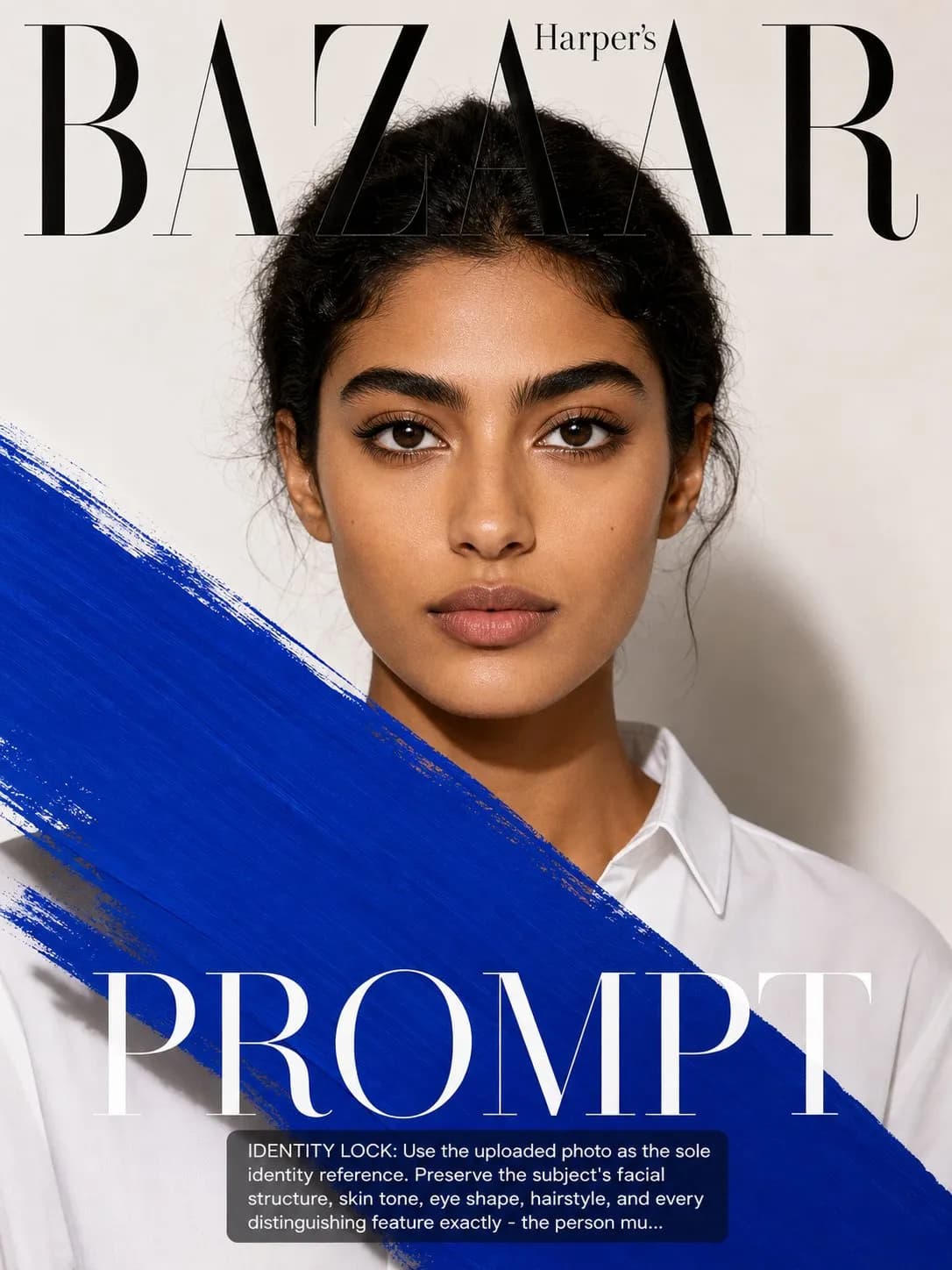
SCENE: Subject rendered as the cover of a fictional Harper's Bazaar issue — a magazine that historically publishes the most artistically ambitious covers in fashion publishing.
IDENTITY LOCK: Use the uploaded photo as the sole identity reference. Preserve the subject's facial structure, skin tone, eye shape, hairstyle, and every distinguishing feature exactly — the person must remain instantly recognizable. SCENE: Subject rendered as the cover of a fictional Harper's Bazaar issue — a magazine that historically publishes the most artistically ambitious covers in fashion publishing. The concept: the subject is partially obscured or in dialogue with a graphic element — a large abstract paint brushstroke, a bold typographic element, or a simple geometric color field — that interacts with but never covers the eyes. The subject and the graphic are in conversation. PHYSICS & CRAFT: The portrait itself must be flawlessly executed before the graphic element is introduced — a clean 90° frontal beauty-dish or ring-flash portrait with perfect symmetrical fill producing absolutely even skin tones. The graphic element behaves as an opaque physical object in the scene — it casts a faint shadow on the subject and has physical presence, not a 2D overlay. TECHNICAL EXECUTION: 85mm f/4 perfect frontal sharpness. The graphic element is one flat saturated color — crimson, cobalt, or jet black — with the Harper's Bazaar masthead in thin elegant serif at top. Full symmetrical composition. High- fashion graphic-meets-photography aesthetic. HARD CONSTRAINTS: The eyes must always be fully visible — the graphic cannot cover them. The graphic element must feel like a deliberate artistic choice, not a random addition. Do not add multiple competing graphic elements — one is the rule. Do not make the graphic compete with the masthead for visual dominance.

0 people have copied this prompt
Harper's Bazaar Art Portrait Cover is a poster prompt for GPT Image 2, composed for a 3:4 image. SCENE: Subject rendered as the cover of a fictional Harper's Bazaar issue — a magazine that historically publishes the most artistically ambitious covers in fashion publishing.
SCENE: Subject rendered as the cover of a fictional Harper's Bazaar issue — a magazine that historically publishes the most artistically ambitious covers in fashion publishing.
Keep the prompt structure, then replace the main subject, action, or environment in "SCENE: Subject rendered as the cover of a fictional Harper's Bazaar issue — a magazine that historically publishes the most artistically ambitious cov...".
Adjust one visual signal at a time, such as "85mm", "f/4", "harper's bazaar cover prompt", "art fashion cover ai", so you can identify which instruction changes the result.
Use the portrait frame for editorial-style compositions with enough surrounding context to establish the scene.
Use one clear reference image and retain the identity-lock instructions when changing clothing, lighting, background, or camera direction.
Use direct natural-language edits after the first generation. State what must remain unchanged before describing the single element you want to revise.
Judge the result by hierarchy: the main subject must read first, supporting graphics second, and any text area must remain uncluttered.
Three simple steps to generate your AI image.
Click the "Copy Full Prompt" button above to copy the entire prompt text to your clipboard instantly.
Open your preferred image generator and paste the prompt into the text input. You're ready to create.
Hit generate and watch the magic happen. Tweak the prompt parameters to make it your own.