Key instructions to preserve
SCENE: Subject rendered as the protagonist of a survival horror film — standing in a dense night forest, holding a flickering lantern or torch that is the sole light source in a pitch-black environment.
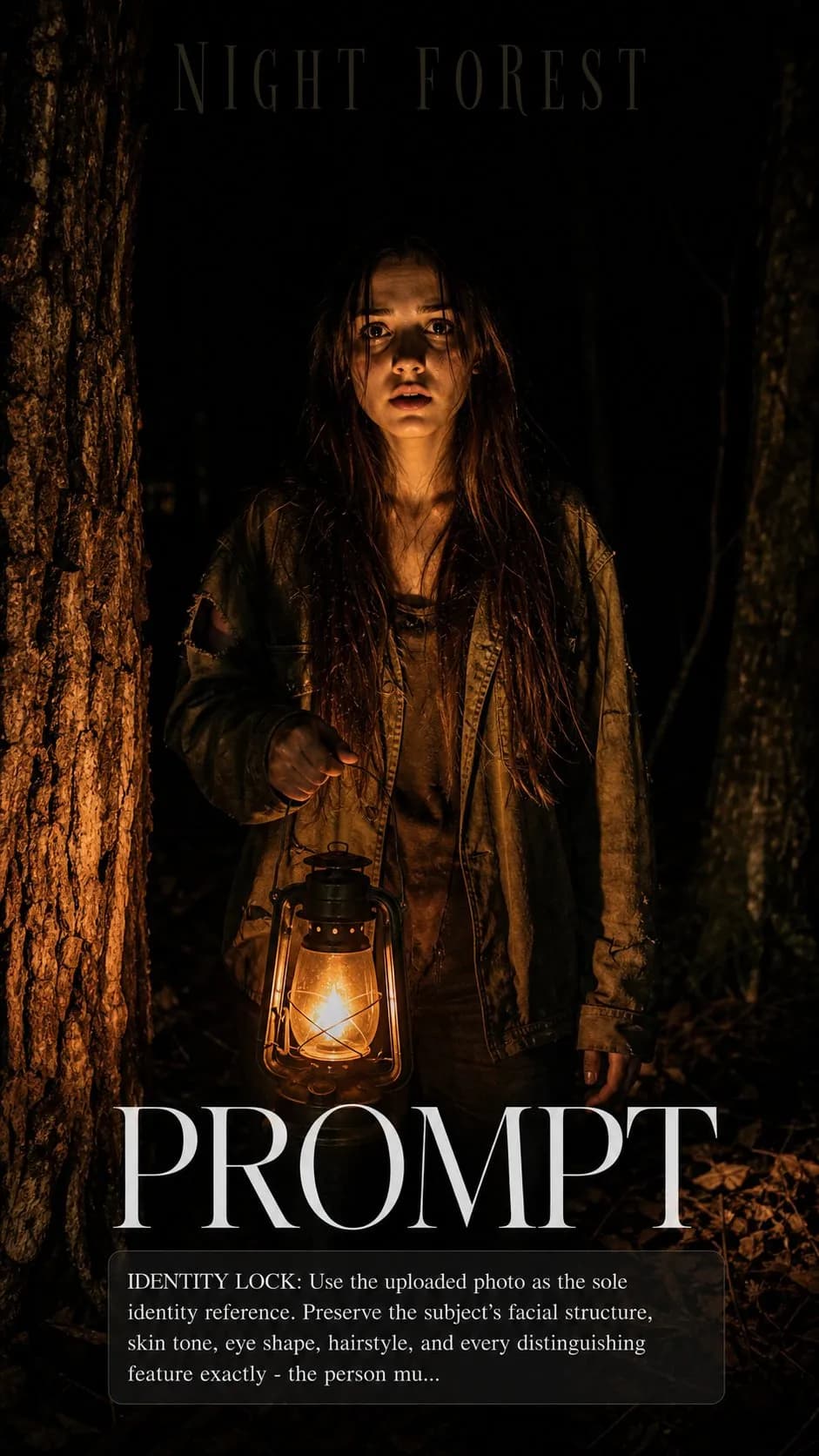
IDENTITY LOCK: Use the uploaded photo as the sole identity reference. Preserve the subject's facial structure, skin tone, eye shape, hairstyle, and every distinguishing feature exactly — the person must remain instantly recognizable. SCENE: Subject rendered as the protagonist of a survival horror film — standing in a dense night forest, holding a flickering lantern or torch that is the sole light source in a pitch-black environment. The light illuminates only what is physically close — the subject's face, the nearest tree trunks, a ring of leaf litter on the ground. Everything beyond 3 meters is absolute darkness with implied shapes barely visible. PHYSICS & CRAFT: The lantern is a point source at approximately waist level — 1800K orange-red, harsh upward falloff illuminating the underside of the subject's face and chin first, forehead second, casting deep upward shadows into the eye sockets and brow — the classic horror up-light that is terrifying because it inverts normal facial shadow structure. Tree bark closest to the lantern is richly textured and warm. Outer darkness is total. TECHNICAL EXECUTION: 35mm f/2.8, the lantern's light rolls off to black within arm's reach. Color grade: pure blacks, no lifted shadows — this image must have true black. The lantern flame should be physically rendered — warm core, cooler outer glow, no CGI perfection. Title in thin horror serif at top, barely visible against the black sky. HARD CONSTRAINTS: Do not add monsters, creatures, or visible threats — the unseen is more effective. Do not add a co- star. Do not beautify the face — harsh upward lantern light on real features is the whole point. Keep the forest believably terrestrial.

1 people have copied this prompt
Survival Horror Night Forest Poster is a poster prompt for GPT Image 2, composed for a 9:16 image. SCENE: Subject rendered as the protagonist of a survival horror film — standing in a dense night forest, holding a flickering lantern or torch that is the sole light source in a pitch-black environment.
SCENE: Subject rendered as the protagonist of a survival horror film — standing in a dense night forest, holding a flickering lantern or torch that is the sole light source in a pitch-black environment.
Keep the prompt structure, then replace the main subject, action, or environment in "SCENE: Subject rendered as the protagonist of a survival horror film — standing in a dense night forest, holding a flickering lantern or torch that is...".
Adjust one visual signal at a time, such as "35mm", "f/2.8", "survival horror poster prompt", "horror movie ai poster", so you can identify which instruction changes the result.
Compose vertically and keep important details away from the extreme top and bottom so the result works for stories and mobile wallpaper.
Use one clear reference image and retain the identity-lock instructions when changing clothing, lighting, background, or camera direction.
Use direct natural-language edits after the first generation. State what must remain unchanged before describing the single element you want to revise.
Judge the result by hierarchy: the main subject must read first, supporting graphics second, and any text area must remain uncluttered.
Three simple steps to generate your AI image.
Click the "Copy Full Prompt" button above to copy the entire prompt text to your clipboard instantly.
Open your preferred image generator and paste the prompt into the text input. You're ready to create.
Hit generate and watch the magic happen. Tweak the prompt parameters to make it your own.