Key instructions to preserve
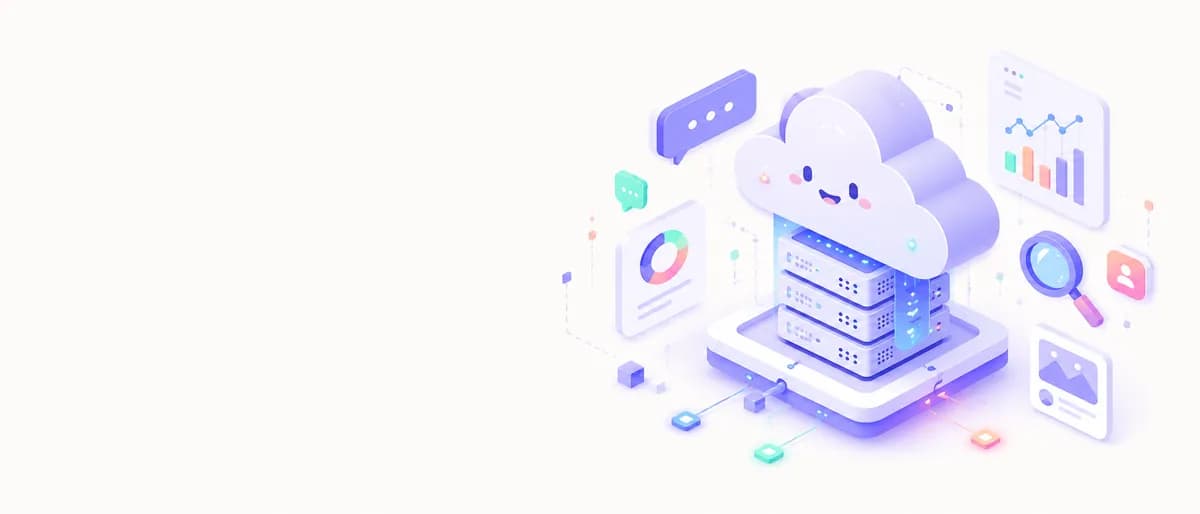
🎨 SUBJECT: A friendly, isometric floating cloud server with glowing connection nodes, surrounded by floating UI elements like chat bubbles, analytics graphs, and a magnifying glass.
🎨 SUBJECT: A friendly, isometric floating cloud server with glowing connection nodes, surrounded by floating UI elements like chat bubbles, analytics graphs, and a magnifying glass. 🌍 SETTING: Set against a clean, minimalist off-white background. The illustration is anchored on the right side of the image. The entire left side is left as pure, empty negative space, specifically designed for a web designer to place headline text and a call-to-action button (copy space). ✨ LIGHTING & COLORS: Bright, modern UI color palette. Soft lavender, mint green, peach, and vibrant electric blue. Soft, subtle drop shadows to give a 2.5D depth without heavy 3D rendering. 📐 COMPOSITION: 21:9 Ultrawide orientation. The illustration elements are clustered in the right third. The left 60% is intentionally left completely blank and clean, making it a perfect, ready-to-use hero banner for a tech website. 🎨 STYLE: Modern SaaS / B2B Web Illustration, Dribbble trending vector art, isometric flat design, friendly and approachable corporate mood, 8k resolution. 📱 ASPECT RATIO: 21:9 Ultrawide

0 people have copied this prompt
SaaS Landing Page Hero Illustration Abstract Data Cloud is a illustration prompt for GPT Image 2, composed for a 21:9 image. 🎨 SUBJECT: A friendly, isometric floating cloud server with glowing connection nodes, surrounded by floating UI elements like chat bubbles, analytics graphs, and a magnifying glass.
🎨 SUBJECT: A friendly, isometric floating cloud server with glowing connection nodes, surrounded by floating UI elements like chat bubbles, analytics graphs, and a magnifying glass.
Keep the prompt structure, then replace the main subject, action, or environment in "🎨 SUBJECT: A friendly, isometric floating cloud server with glowing connection nodes, surrounded by floating UI elements like chat bubbles, analytics...".
Adjust one visual signal at a time, such as "saas illustration", "landing page hero art", "web design illustration", "abstract data cloud", so you can identify which instruction changes the result.
Keep the main subject and important details inside the 21:9 frame, then adjust spacing before changing the visual style.
Use direct natural-language edits after the first generation. State what must remain unchanged before describing the single element you want to revise.
Judge the result by consistent line, shape, texture, and palette choices across the subject and background.
Three simple steps to generate your AI image.
Click the "Copy Full Prompt" button above to copy the entire prompt text to your clipboard instantly.
Open your preferred image generator and paste the prompt into the text input. You're ready to create.
Hit generate and watch the magic happen. Tweak the prompt parameters to make it your own.