Key instructions to preserve
No beautification, no face reshaping, no expression change unless stated.
GuardrailTerracotta warrior armor is acceptable as it is the standard form of the subject.
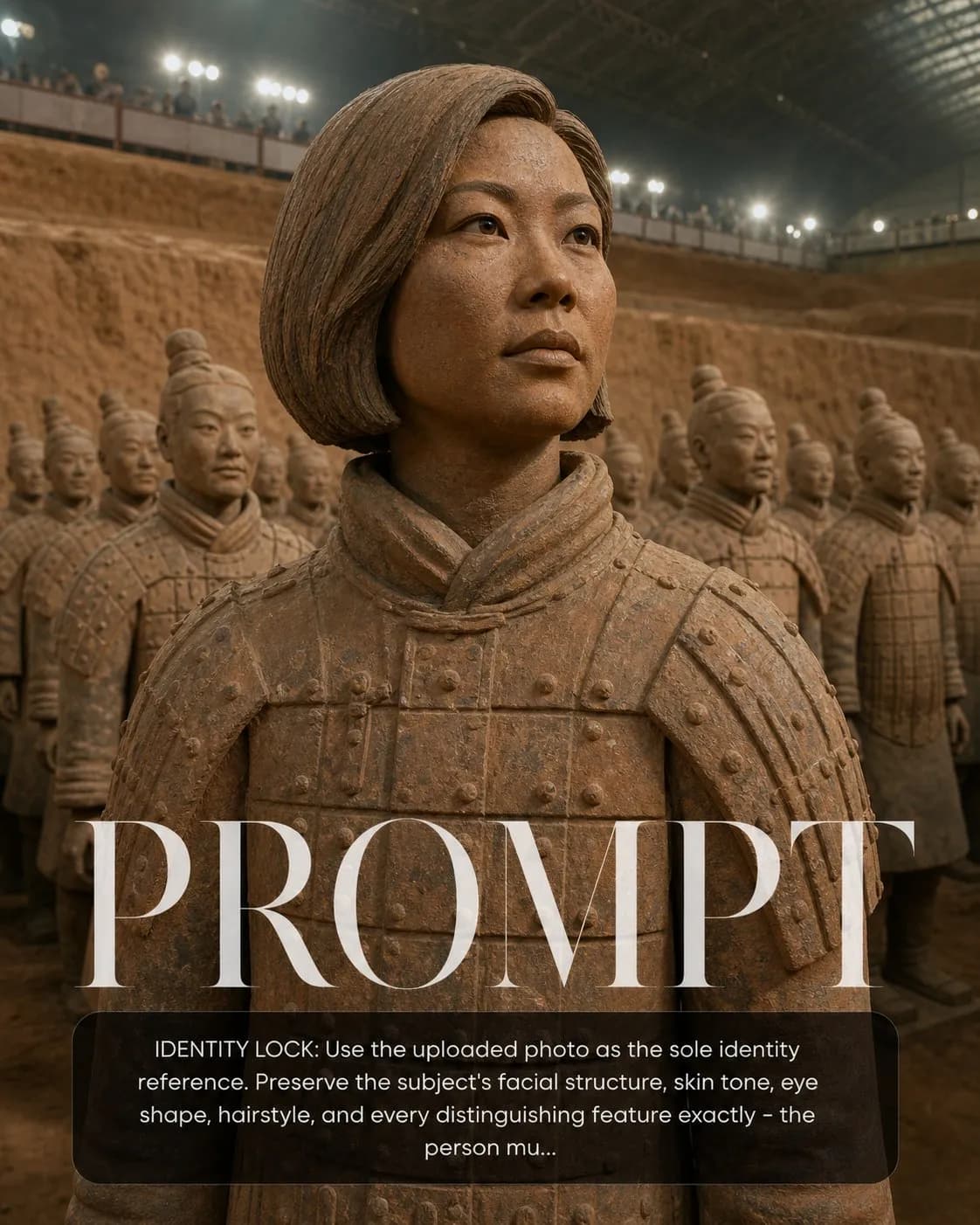
IDENTITY LOCK: Use the uploaded photo as the sole identity reference. Preserve the subject's facial structure, skin tone, eye shape, hairstyle, and every distinguishing feature exactly — the person must remain instantly recognizable. No beautification, no face reshaping, no expression change unless stated. SCENE: Subject rendered as one of the Qin Dynasty Terracotta Warriors — their face faithfully modeled in fired red-brown clay, standing in formation among hundreds of identical-yet-unique warrior figures in the Xi'an excavation pit, archaeological floodlights illuminating the scene. PHYSICS & CRAFT: Terracotta clay texture — matte, slightly gritty, warm red-brown with lighter dust deposits on horizontal surfaces and darker accumulation in recesses. The subject's face is hand-modeled clay but unmistakably their features. Archaeological pit atmosphere: fine dust particles in light beams, earthen walls, protective barrier in middle ground. TECHNICAL EXECUTION: 35mm wide angle, low angle looking up at the nearest warrior figure (the subject), rows of warriors receding into background haze, documentary photography warm tungsten-plus-daylight mixed lighting. HARD CONSTRAINTS: Terracotta warrior armor is acceptable as it is the standard form of the subject. Face must be recognizable. Do not use generic warrior face — each terracotta warrior was modeled on a real person, honor that tradition.
0 people have copied this prompt
Terracotta Warrior Lookalike is a concept art prompt for GPT Image 2, composed for a 4:5 image. No beautification, no face reshaping, no expression change unless stated.
No beautification, no face reshaping, no expression change unless stated.
Keep the prompt structure, then replace the main subject, action, or environment in "No beautification, no face reshaping, no expression change unless stated.".
Adjust one visual signal at a time, such as "35mm", "wide angle", "low angle", "ai image prompt", so you can identify which instruction changes the result.
Keep the focal subject prominent in the portrait frame while preserving enough background detail for feed and poster layouts.
Use one clear reference image and retain the identity-lock instructions when changing clothing, lighting, background, or camera direction.
Use direct natural-language edits after the first generation. State what must remain unchanged before describing the single element you want to revise.
Judge the result by how clearly it communicates the intended concept art direction while keeping the subject, environment, and visual treatment consistent.
Three simple steps to generate your AI image.
Click the "Copy Full Prompt" button above to copy the entire prompt text to your clipboard instantly.
Open your preferred image generator and paste the prompt into the text input. You're ready to create.
Hit generate and watch the magic happen. Tweak the prompt parameters to make it your own.