Key instructions to preserve
No beautification, no face reshaping, no expression change unless stated.
GuardrailDo not change clothing or hairstyle of the wax figure.
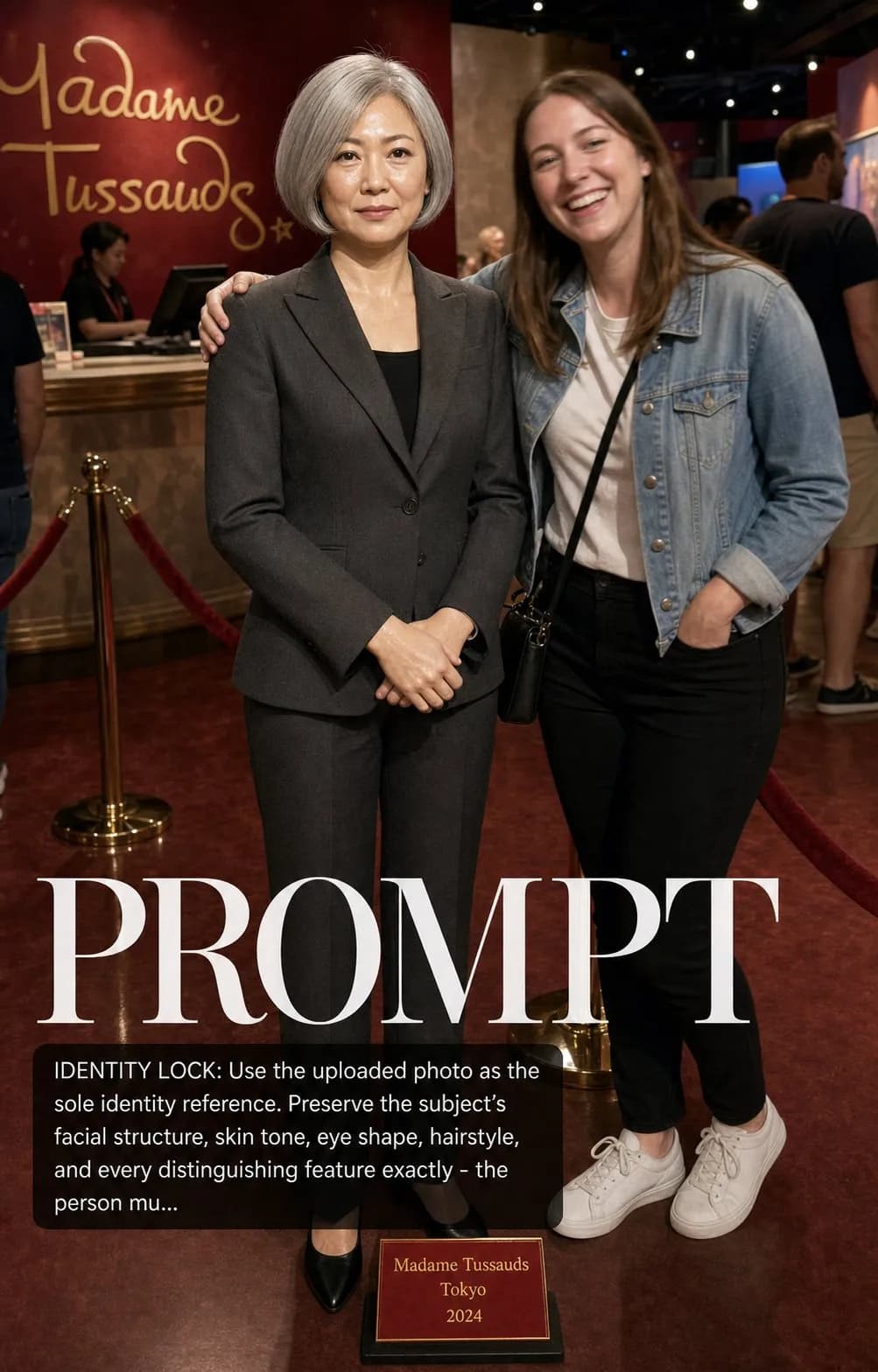
IDENTITY LOCK: Use the uploaded photo as the sole identity reference. Preserve the subject's facial structure, skin tone, eye shape, hairstyle, and every distinguishing feature exactly — the person must remain instantly recognizable. No beautification, no face reshaping, no expression change unless stated. SCENE: Subject rendered as a hyper-realistic wax museum figure in their exact current outfit, displayed in a Madame Tussauds-style attraction hall with a small branded plaque at their feet. A candid tourist poses next to them grinning, arm around the wax figure, slightly blurred. PHYSICS & CRAFT: The uncanny valley is intentional and celebrated — wax skin has slightly too-perfect pore texture, slight waxy sheen under 5500K attraction lighting, glass eyes with realistic catchlights but a subtle stillness that reads as artificial. Individual hair strands implanted with wax-museum precision. The tourist's skin and clothing contrast naturally against the figure's wax quality. TECHNICAL EXECUTION: 28mm f/4 wide angle, snapshot tourist photography style, slightly high ambient light, subtle JPG compression feel, branded red velvet rope barrier in soft foreground. HARD CONSTRAINTS: Do not change clothing or hairstyle of the wax figure. Keep the tourist anonymous and blurred. Do not beautify the wax rendition — the slightly eerie quality is the point.
0 people have copied this prompt
Wax Figure at Madame Tussauds is a concept art prompt for GPT Image 2, composed for a 4:5 image. No beautification, no face reshaping, no expression change unless stated.
No beautification, no face reshaping, no expression change unless stated.
Keep the prompt structure, then replace the main subject, action, or environment in "No beautification, no face reshaping, no expression change unless stated.".
Adjust one visual signal at a time, such as "28mm", "f/4", "wide angle", "ai image prompt", so you can identify which instruction changes the result.
Keep the focal subject prominent in the portrait frame while preserving enough background detail for feed and poster layouts.
Use one clear reference image and retain the identity-lock instructions when changing clothing, lighting, background, or camera direction.
Use direct natural-language edits after the first generation. State what must remain unchanged before describing the single element you want to revise.
Judge the result by how clearly it communicates the intended concept art direction while keeping the subject, environment, and visual treatment consistent.
Three simple steps to generate your AI image.
Click the "Copy Full Prompt" button above to copy the entire prompt text to your clipboard instantly.
Open your preferred image generator and paste the prompt into the text input. You're ready to create.
Hit generate and watch the magic happen. Tweak the prompt parameters to make it your own.