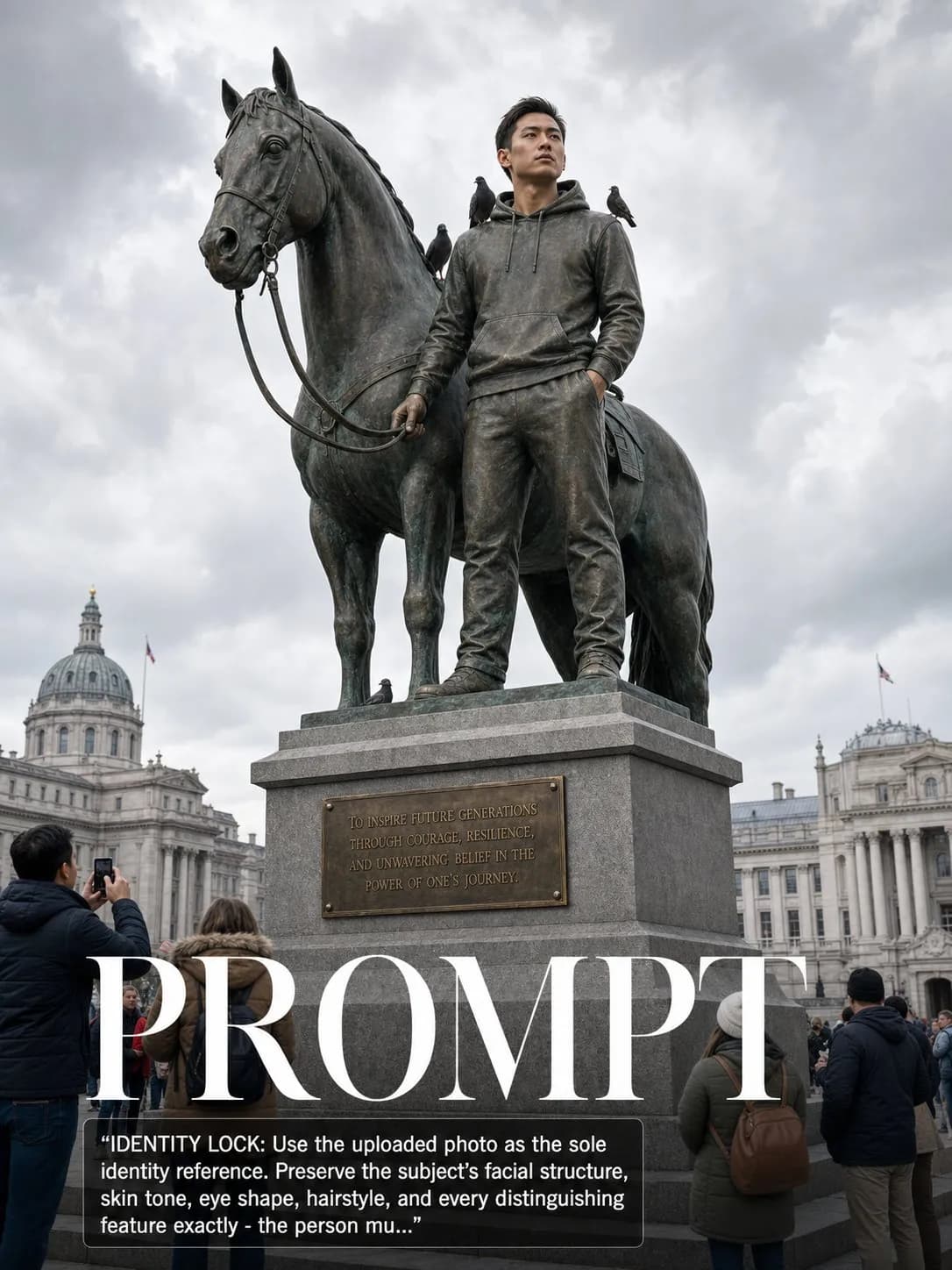
Key instructions to preserve
No beautification, no face reshaping, no expression change unless stated.
GuardrailThe bronze portrait must be recognizably the subject.
IDENTITY LOCK: Use the uploaded photo as the sole identity reference. Preserve the subject's facial structure, skin tone, eye shape, hairstyle, and every distinguishing feature exactly — the person must remain instantly recognizable. No beautification, no face reshaping, no expression change unless stated. SCENE: A large bronze equestrian or standing monument of the subject placed in a grand national capital square — their modern clothing faithfully cast in bronze, the pedestal bearing an engraved dedication plate, pigeons on the shoulders, tourists gathered below. PHYSICS & CRAFT: Heavily patinated bronze — deep verdigris in the low areas, warm bare bronze on the raised contact points. The statue's scale should be 3-4 times human height. Hard winter 5000K overcast daylight, no harsh shadows, the statue reading as a pure silhouette against a dramatic cloud-filled sky. The pedestal is grey granite, the dedication plate brass. TECHNICAL EXECUTION: 35mm f/8 from slightly below plinth height, the statue against the sky with government buildings or grand architecture softly visible behind, tourists at the base are tiny against the monument. HARD CONSTRAINTS: The bronze portrait must be recognizably the subject. Translate their modern clothing into cast bronze exactly — no historical costume. The dedication text on the plaque may read 'In recognition of extraordinary existence.'
0 people have copied this prompt
Your Statue in a National Capital is a concept art prompt for GPT Image 2, composed for a 3:4 image. No beautification, no face reshaping, no expression change unless stated.
No beautification, no face reshaping, no expression change unless stated.
Keep the prompt structure, then replace the main subject, action, or environment in "No beautification, no face reshaping, no expression change unless stated.".
Adjust one visual signal at a time, such as "35mm", "f/8", "ai image prompt", "architectural monument", so you can identify which instruction changes the result.
Use the portrait frame for editorial-style compositions with enough surrounding context to establish the scene.
Use one clear reference image and retain the identity-lock instructions when changing clothing, lighting, background, or camera direction.
Use direct natural-language edits after the first generation. State what must remain unchanged before describing the single element you want to revise.
Judge the result by how clearly it communicates the intended concept art direction while keeping the subject, environment, and visual treatment consistent.
Three simple steps to generate your AI image.
Click the "Copy Full Prompt" button above to copy the entire prompt text to your clipboard instantly.
Open your preferred image generator and paste the prompt into the text input. You're ready to create.
Hit generate and watch the magic happen. Tweak the prompt parameters to make it your own.