Midjourney V8.1 UI Design Prompts: 10+ Copy-Paste Formulas
Get 10+ copy-paste Midjourney V8.1 UI design prompts. Learn to use modular components, style raw parameters, and stack with GPT Image 2 and Nano-Bannao.
On this page 19 sections
Key takeaways
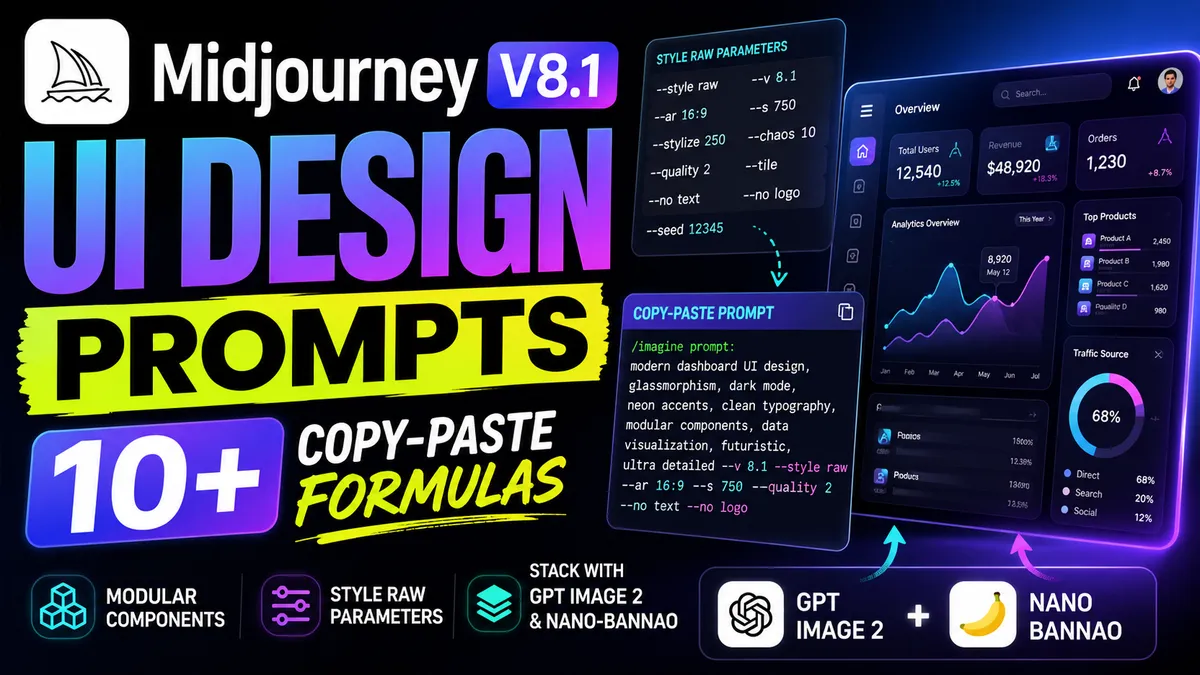
Stop prompting full pages. Isolate UI components (cards, headers, navbars) on flat backgrounds and use '--style raw' with low '--stylize' values (50-100) for clean, usable mockups.
Stop generating cluttered full-page mockups. Learn how to use modular prompting in Midjourney V8.1 and compare it with GPT Image 2 and Nano-Bannao for clean UI components.
Midjourney UI Design Prompts: 10+ Copy-Paste Formulas for Clean Mockups
If you are tired of Midjourney generating cluttered, unusable web pages, the solution is modular component prompting. Stop prompting entire pages. By prompting isolated elements on flat backgrounds, you can instantly export and slice clean assets. This guide provides 10+ copy-paste Midjourney V8.1 UI design prompts to build clean mockups, alongside the exact parameters to keep your layouts flat and modern.
Why Standard UI Prompts Produce Cluttered Layouts
Midjourney is trained on massive datasets of realistic photography, artwork, and complex digital illustrations. When you ask for a "full website landing page," the engine tries to compress a hero section, pricing table, navigation bar, and footer into a single image. The result is a chaotic layout packed with unreadable text, weird gradients, and complex ornaments that are impossible to crop and use. It is a mess.
To get clean outputs, you must shift from page-level prompting to component-level prompting. Do not skip this. Modular prompting isolates individual interface elements so they are easy to recreate in Figma.
Midjourney V8.1 vs. GPT Image 2 vs. Nano-Bannao
In the current 2026 design space, you no longer rely on a single AI image generator. Different tools serve different workflows:
- Midjourney V8.1: It is the king of aesthetics. Use it for visual style ideation, rich glassmorphism, or high-concept mobile interfaces. It is highly creative. However, it still occasionally struggles with complex text rendering and dense grids.
- GPT Image 2: This is the best model for exact text and precise layouts. If you need a card with readable pricing numbers or a specific sidebar navigation structure, use GPT Image 2. It has native 2K resolution and pixel-perfect prompt adherence.
- Nano-Bannao: Google's enterprise asset generator. It is ideal for flat vector shapes, icon libraries, and simple wireframes. It integrates directly with cloud design systems.
How to Structure Your Midjourney UI Design Prompts in V8.1
Every successful UI prompt follows a strict formula that guides the model's layout and styling. Keep it simple. By breaking the prompt into distinct blocks, you force the generator to focus on structure rather than artistic flair.
It works every time. Use this blueprint when writing your prompts:
[UI Element / Component Type], [Design Style / Aesthetics], [Color Palette], [Layout Specifications], [Background Type] --style raw --stylize [50-100] --ar [16:9 or 9:16]
For example, if you want a clean settings panel, you specify the panel inputs, the minimalist layout, the light grey background, and append --style raw to disable the default painterly styling. This keeps it flat.
Midjourney V8.1 UI Style Comparison Matrix
Different interface styles require different prompt parameters and keywords. Match them carefully. This comparison matrix outlines the settings required to achieve specific design aesthetics:
| UI Style | Key Prompt Keywords | Parameters | Aspect Ratio | Figma Use Case |
|---|---|---|---|---|
| Flat / Minimalist | flat vector UI design, clean layout, minimalist design system, solid background | --style raw --v 8.1 --stylize 50 |
--ar 16:9 |
SaaS landing pages, hero sections |
| Glassmorphism | glassmorphic user interface, frosted glass panels, vibrant pastel background | --style raw --v 8.1 --stylize 100 |
--ar 16:9 |
Web apps, modern card layouts |
| Dark Mode | dark mode user interface design, neon accent colors, dark slate background | --style raw --v 8.1 --stylize 75 |
--ar 16:9 |
Trading dashboards, crypto platforms |
| Mobile App | mobile app user interface design, clean mobile screens, ios design system | --v 8.1 --stylize 100 |
--ar 9:16 |
App onboarding, screen flows |
| Dashboard | dashboard user interface design, data visualization charts, sidebar navigation | --style raw --v 8.1 --stylize 50 |
--ar 16:9 |
Admin panels, analytics software |
11 Copy-Paste Formulas for Clean Mockups
These formulas use specific keywords to keep layouts structured. Copy and paste these directly into Midjourney to generate clean components. They save hours.
1. Minimalist SaaS Landing Page Hero
> flat minimalist SaaS landing page hero section, mockup, UI design, clean typography placeholder, solid white background, style raw --no text, watermark, realistic photo --ar 16:9 --v 8.1 --stylize 50
2. Glassmorphic Pricing Card Component
> pricing card component UI, glassmorphism style, frosted glass panel, clean checkmarks, vibrant abstract gradient background, UI design --no text --ar 4:3 --v 8.1 --stylize 100
3. Dark Mode Admin Dashboard
> admin dashboard user interface design, telemetry cards, bar charts and line graphs, clean sidebar navigation, dark slate UI theme, style raw --no text, watermark --ar 16:9 --v 8.1 --stylize 80
4. iOS Mobile Fitness Tracker
> mobile app user interface design, fitness tracker progress screen, clean card UI, minimalist vector style, iOS design system --no text, realistic photo --ar 9:16 --v 8.1 --stylize 100
5. Flat Web Navigation Bar
> horizontal website navigation bar component, clean logo placeholder, dropdown menus, flat vector UI design, solid white background --no text, watermark --ar 16:3 --v 8.1 --stylize 50
6. SaaS Feature Card Grid
> SaaS product feature grid UI design, 3-column layout with clean vector icons, minimalist design system, solid light background --no text, realistic photo --ar 16:9 --v 8.1 --stylize 50
7. Modern E-Commerce Product Grid
> e-commerce product grid UI design, clean card layout, minimal fashion shop interface, product photo placeholders --no text, realistic photo --ar 16:9 --v 8.1 --stylize 50
8. Mobile Crypto Wallet Screen
> mobile app UI design, cryptocurrency wallet dashboard, clean balance display, send and receive buttons, dark mode theme --no text, watermark --ar 9:16 --v 8.1 --stylize 100
9. Account Settings Panel Component
> account settings panel UI design, clean toggles and form inputs, profile picture placeholder, minimalist dashboard component --no text, watermark --ar 16:9 --v 8.1 --stylize 50
10. Brutalist Web Grid Layout
> brutalist web design layout, thick black borders, high contrast high-saturation accents, clean monospace typography mockups, UI design --no text, watermark, realistic photo --ar 16:9 --v 8.1 --stylize 120
11. Dark Mode SaaS Hero Section
> SaaS landing page hero section UI design, dark mode, vibrant purple and cyan gradient accents, clean search bar component --no text, watermark --ar 16:9 --v 8.1 --stylize 75
Connecting Your UI to a Cohesive Design System
A single page concept is rarely enough to build a complete product. Plan for scale. If you want to expand your visual assets, check out the curated UI design prompts gallery to find pre-made layouts. When you need custom elements like vector buttons or app icons, browse the Asset Vault visual resource hub for prompt ideas. For matching logos and company identity kits, explore the brand identity prompt list to keep your styles aligned across platforms.
“Consistency is the hallmark of professional AI art. Random seeds produce random results.”
— topimageprompt Team
Frequently asked questions
Can Midjourney design a website?
How do you prompt a UI design in Midjourney?
How to get clean web design mockups in Midjourney?
Sources and further reading
- Midjourney Official Documentation (for parameter references like --style raw and --stylize); Figma Community Design Systems (for component-based UI structures).