Key instructions to preserve
"shoulder-length wavy bob," "short fade haircut," "long box braids," "platinum blonde," "deep burgundy red").
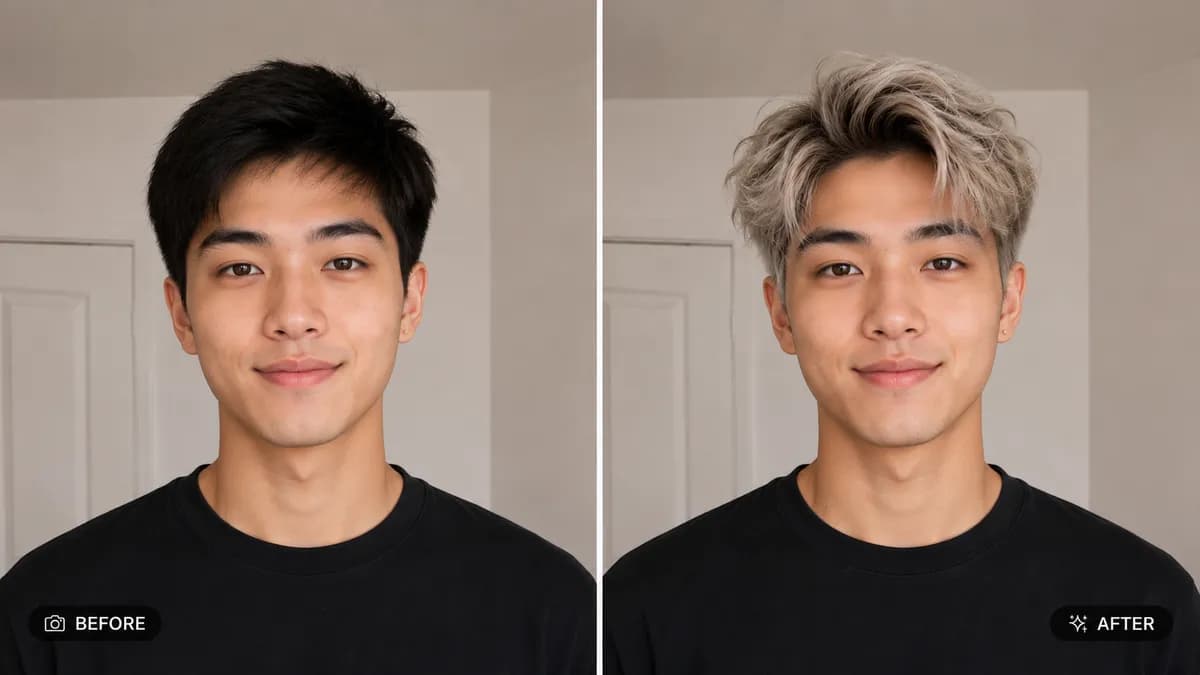
📸 INPUT REFERENCE: Use the uploaded photo as the base — preserve the subject's exact face, facial features, expression, pose, clothing, skin tone and background precisely as they appear in the original 💇 HAIRSTYLE/COLOR CHANGE TASK: Replace the subject's current hairstyle and/or hair color with the style specified by the user (e.g. "shoulder-length wavy bob," "short fade haircut," "long box braids," "platinum blonde," "deep burgundy red"). Render the new hair with realistic strand texture, natural volume, and accurate light reflection for that specific hair type 🧠 FACE SHAPE AWARENESS: Adapt the hairstyle's framing naturally around the subject's real face shape, hairline, and ear position so it looks like hair that actually grows from their head, not a wig pasted on top 🎨 COLOR ACCURACY: If a color change is requested, render realistic multi-tonal color depth (natural root shadow, light catching highlights, soft color variation) rather than one flat block of color 💡 LIGHTING MATCH: Match the lighting direction, color temperature, shine, and shadow falloff of the new hair to the lighting already present in the rest of the photo 🖌️ STYLE: Photorealistic hair rendering — strand-level detail, natural movement and flyaways where appropriate, no obvious cutout or wig-like edges 🚫 IDENTITY PRESERVATION: Never alter the subject's face, body, skin tone, or expression — only the hairstyle and/or hair color changes 📐 ASPECT RATIO: Preserve the original photo's exact aspect ratio and framing

0 people have copied this prompt
Change Hairstyle or Hair Color in Photo is a transformation prompt for GPT Image 2, composed for a 16:9 image. "shoulder-length wavy bob," "short fade haircut," "long box braids," "platinum blonde," "deep burgundy red").
"shoulder-length wavy bob," "short fade haircut," "long box braids," "platinum blonde," "deep burgundy red").
Keep the prompt structure, then replace the main subject, action, or environment in ""shoulder-length wavy bob," "short fade haircut," "long box braids," "platinum blonde," "deep burgundy red").".
Adjust one visual signal at a time, such as "change hairstyle ai", "hair color changer photo", "virtual hairstyle try on", "ai haircut preview", so you can identify which instruction changes the result.
Use the wide frame to establish the environment, place supporting details around the subject, and maintain a clear focal point.
Use one clear reference image and retain the identity-lock instructions when changing clothing, lighting, background, or camera direction.
Use direct natural-language edits after the first generation. State what must remain unchanged before describing the single element you want to revise.
Judge the result by how clearly it communicates the intended transformation direction while keeping the subject, environment, and visual treatment consistent.
Three simple steps to generate your AI image.
Click the "Copy Full Prompt" button above to copy the entire prompt text to your clipboard instantly.
Open your preferred image generator and paste the prompt into the text input. You're ready to create.
Hit generate and watch the magic happen. Tweak the prompt parameters to make it your own.