Editable📸 INPUT REFERENCE: Use the uploaded photo as the base —
preserve the exact composition, subject, buildings, landscape
structure and camera angle precisely as they appear in the
original
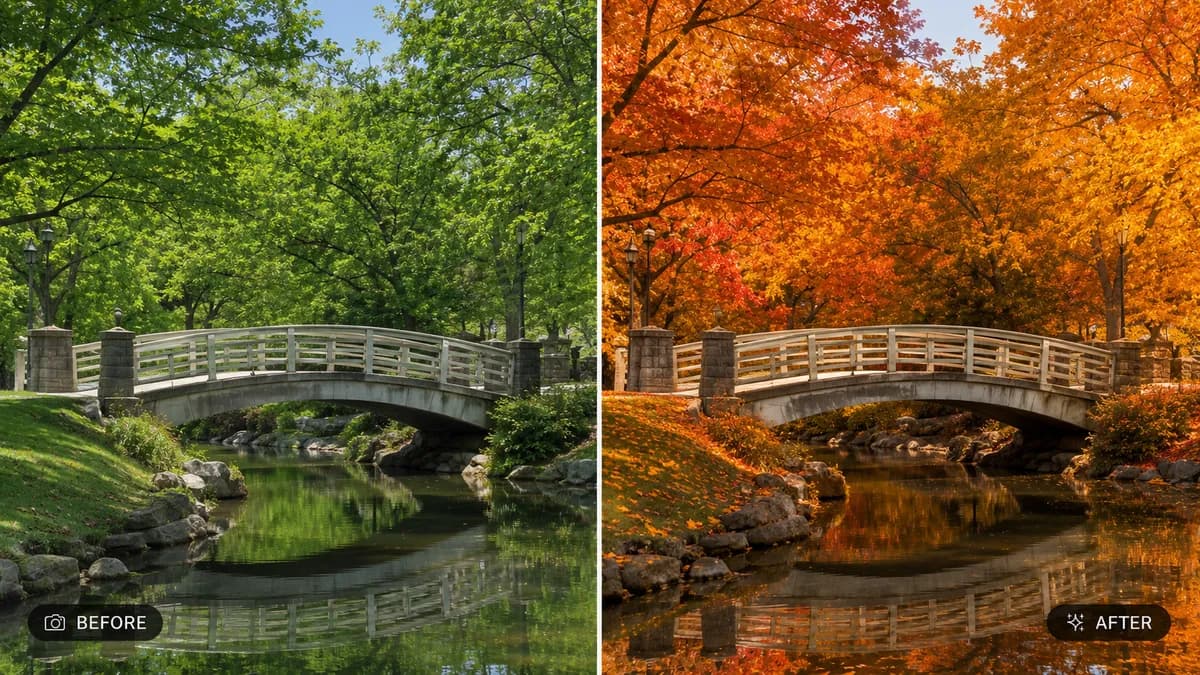
🍂 SEASONAL CONVERSION TASK: Transform the scene's season to
the one specified by the user (e.g. "convert to autumn with
falling leaves," "convert to winter with snow," "convert to
spring with blossoming flowers," "convert to summer with lush
green growth"). Adjust every seasonal detail of the environment
accordingly
🌳 FOLIAGE & GROUND TRANSFORMATION: Realistically change tree
leaves, grass, and plant life to match the requested season —
golden orange and red leaves with some scattered on the ground
for autumn, bare branches with snow accumulation for winter,
fresh blossoms and vivid green growth for spring, full lush deep
green canopy for summer
❄️ WEATHER-APPROPRIATE DETAIL: Add season-accurate environmental
details — frost or snow on surfaces and rooftops for winter,
fallen leaf piles and misty cool air for autumn, flower petals
and soft pastel blooms for spring, warm bright haze and full
foliage for summer
🎨 COLOR GRADE SHIFT: Apply a color grade appropriate to the
season — warm orange and amber tones for autumn, cool blue-white
tones for winter, soft pastel tones for spring, vibrant saturated
warm tones for summer
💡 LIGHTING ADJUSTMENT: Adjust sun angle, light warmth, and
shadow length to realistically match the natural lighting
quality typical of the requested season
🖌️ STYLE: Photorealistic seasonal conversion — final result must
look like it was naturally photographed during that season, not
a color filter applied on top
🚫 PRESERVE STRUCTURE: Do not alter buildings, subject pose, or
core composition — only seasonal environmental details and
lighting change
📐 ASPECT RATIO: Preserve the original photo's exact aspect
ratio and framing