Editable📸 INPUT REFERENCE: Use the uploaded photo as the base —
preserve the subject's exact face, facial features, expression,
skin tone and hair precisely as they appear in the original
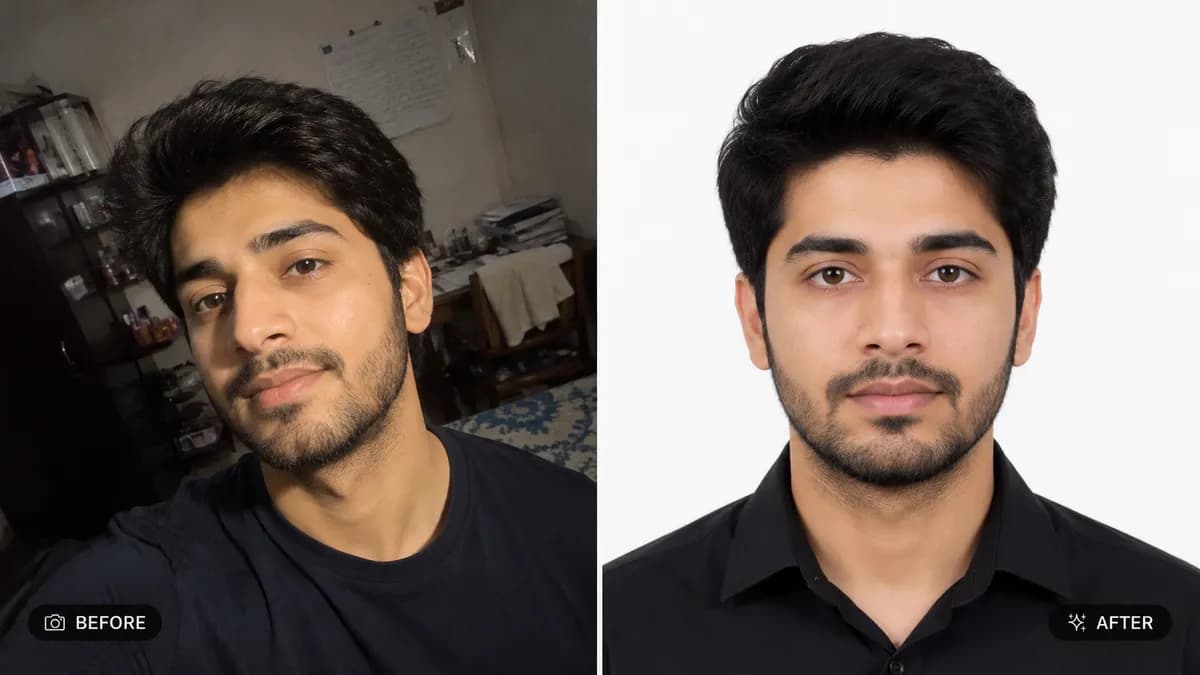
🪪 ID PHOTO FORMATTING TASK: Convert the photo into a compliant
passport/visa/ID-style photograph — crop and center the face
according to standard ID photo composition (head centered, eyes
at approximately 55-60% height from bottom, consistent margin
on all sides, neutral forward-facing framing)
🎨 BACKGROUND REPLACEMENT: Replace the existing background with
a solid, evenly lit plain background in the color specified by
the user (e.g. "plain white background," "light grey background,"
"plain blue background") — no shadows, gradients, texture or
patterns of any kind
💡 LIGHTING CORRECTION: Apply even, shadow-free studio-style
lighting across the entire face — eliminate harsh shadows under
the chin, beside the nose, or behind the head, matching the flat
even lighting required for official ID photographs
😐 EXPRESSION NORMALIZATION: If needed, gently adjust the
subject's expression to a neutral, closed-mouth expression with
both eyes open and looking directly at the camera, as required
by most official ID photo standards
🧢 COMPLIANCE DETAILS: Ensure no shadows fall across the face,
no glare appears on glasses if worn, and head covering (if
religious or medical) remains in place but does not obscure the
face outline
🚫 IDENTITY PRESERVATION: Never alter facial structure, skin
tone, or any identifying feature — only background, lighting,
crop and expression are standardized
📐 ASPECT RATIO: 1:1 Square (standard passport photo ratio,
adjust to 35mm x 45mm proportions if specified)