Key instructions to preserve
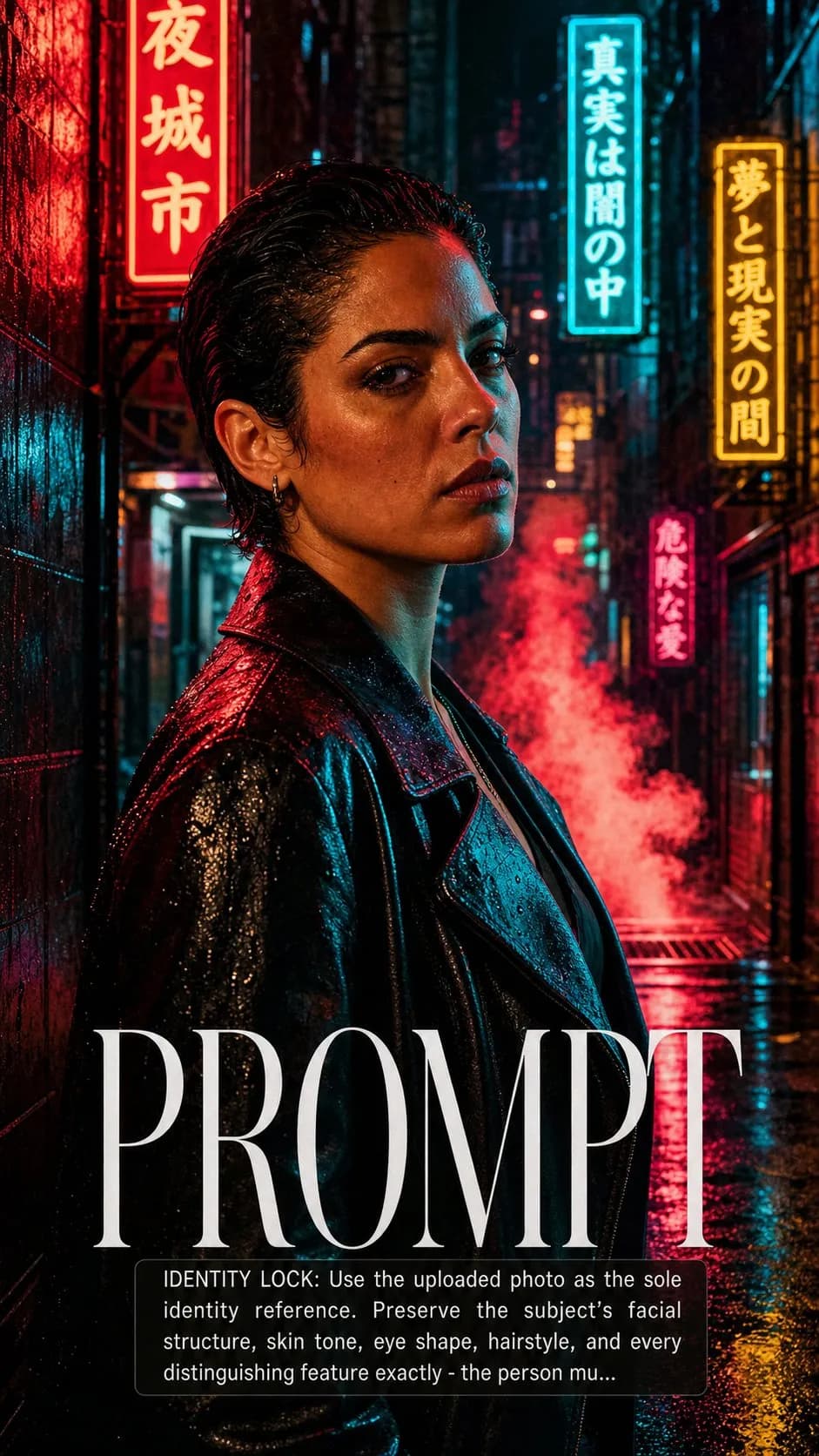
SCENE: Subject rendered as the lead of a fictional neo-noir crime drama — standing at the entrance of a rain-soaked neon- lit alleyway, facing camera with a look that could mean cop or criminal.
IDENTITY LOCK: Use the uploaded photo as the sole identity reference. Preserve the subject's facial structure, skin tone, eye shape, hairstyle, and every distinguishing feature exactly — the person must remain instantly recognizable. SCENE: Subject rendered as the lead of a fictional neo-noir crime drama — standing at the entrance of a rain-soaked neon- lit alleyway, facing camera with a look that could mean cop or criminal. Neon signs in Chinese or Japanese characters glow in the wet walls around them. Puddles reflect the neon. Steam rises from a grate. The environment is downtown somewhere after midnight. PHYSICS & CRAFT: Multiple competing neon practical light sources — each sign a different color (red, cyan, amber) — each hitting the subject from a slightly different angle, creating a complex multi-hued highlight pattern across the face that requires physical accuracy to render correctly. The wet alley floor reflects each sign in elongated streaks. Steam from the grate is backlit by the neons, glowing colored rather than white. TECHNICAL EXECUTION: 35mm f/2.0, medium depth of field, subject sharp, alley and neons behind soft. Extremely saturated neon color grade — the only constraint is that the skin tones remain readable despite multi-colored neon spill. Film grain heavy, ISO 3200 feel. Title in condensed neon-register type. HARD CONSTRAINTS: Do not add weapons unless the subject's pose naturally implies one. Do not add rain effects to the subject's face that obscure the features. The neon signs must not display offensive or real brand content. Multi-colored neon spill on skin must remain physically plausible — skin tones don't become fully cyan.

0 people have copied this prompt
Crime Drama Neon Alley Poster is a poster prompt for GPT Image 2, composed for a 9:16 image. SCENE: Subject rendered as the lead of a fictional neo-noir crime drama — standing at the entrance of a rain-soaked neon- lit alleyway, facing camera with a look that could mean cop or criminal.
SCENE: Subject rendered as the lead of a fictional neo-noir crime drama — standing at the entrance of a rain-soaked neon- lit alleyway, facing camera with a look that could mean cop or criminal.
Keep the prompt structure, then replace the main subject, action, or environment in "SCENE: Subject rendered as the lead of a fictional neo-noir crime drama — standing at the entrance of a rain-soaked neon- lit alleyway, facing camera ...".
Adjust one visual signal at a time, such as "35mm", "f/2.0", "ISO 3200", "Film grain", so you can identify which instruction changes the result.
Compose vertically and keep important details away from the extreme top and bottom so the result works for stories and mobile wallpaper.
Use one clear reference image and retain the identity-lock instructions when changing clothing, lighting, background, or camera direction.
Use direct natural-language edits after the first generation. State what must remain unchanged before describing the single element you want to revise.
Judge the result by hierarchy: the main subject must read first, supporting graphics second, and any text area must remain uncluttered.
Three simple steps to generate your AI image.
Click the "Copy Full Prompt" button above to copy the entire prompt text to your clipboard instantly.
Open your preferred image generator and paste the prompt into the text input. You're ready to create.
Hit generate and watch the magic happen. Tweak the prompt parameters to make it your own.