Editable📸 INPUT REFERENCE: Use the uploaded photo as the base —
preserve the main subject and overall scene exactly as they
appear, including lighting, color tone, texture and depth
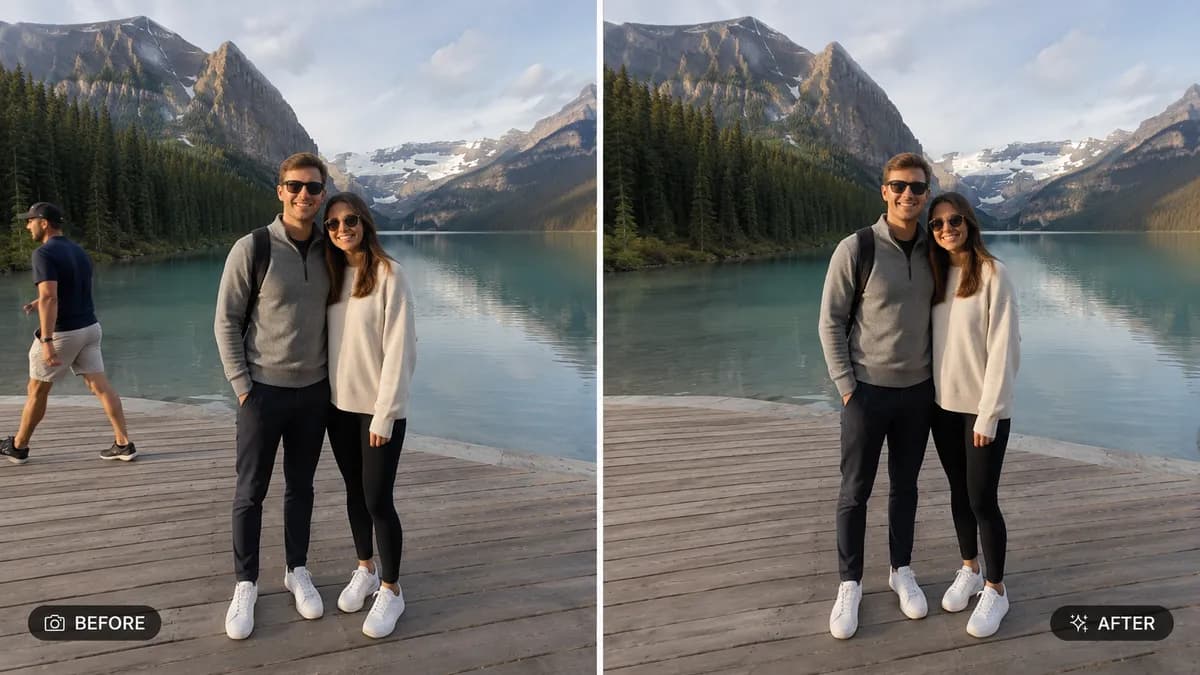
🧹 REMOVAL TASK: Identify and completely remove the unwanted
object, person, or distraction specified by the user (e.g.
"remove the stranger in the background," "remove the trash
can," "remove the power lines," "remove the photobomber on
the left"). Cleanly erase it from the scene with no visible
trace, outline, or ghosting left behind
🧠 INTELLIGENT RECONSTRUCTION: Realistically reconstruct
whatever was behind or beneath the removed object using
context from the surrounding scene — matching texture,
pattern, lighting, perspective and color so the area looks
like it was always part of the original photo, never patched
or smudged
💡 LIGHTING CONSISTENCY: Ensure the reconstructed area matches
the exact lighting direction, shadow falloff and color
temperature of the rest of the photo
🖌️ STYLE: Photorealistic editing — the final image must look
like a single, naturally captured photograph with zero visible
editing artifacts, blur patches, or warped lines
🚫 PRESERVE EVERYTHING ELSE: Do not alter the main subject,
pose, expression, clothing, or any other part of the scene —
only the specified object or person is removed
📐 ASPECT RATIO: Preserve the original photo's exact aspect
ratio and framing