Key instructions to preserve
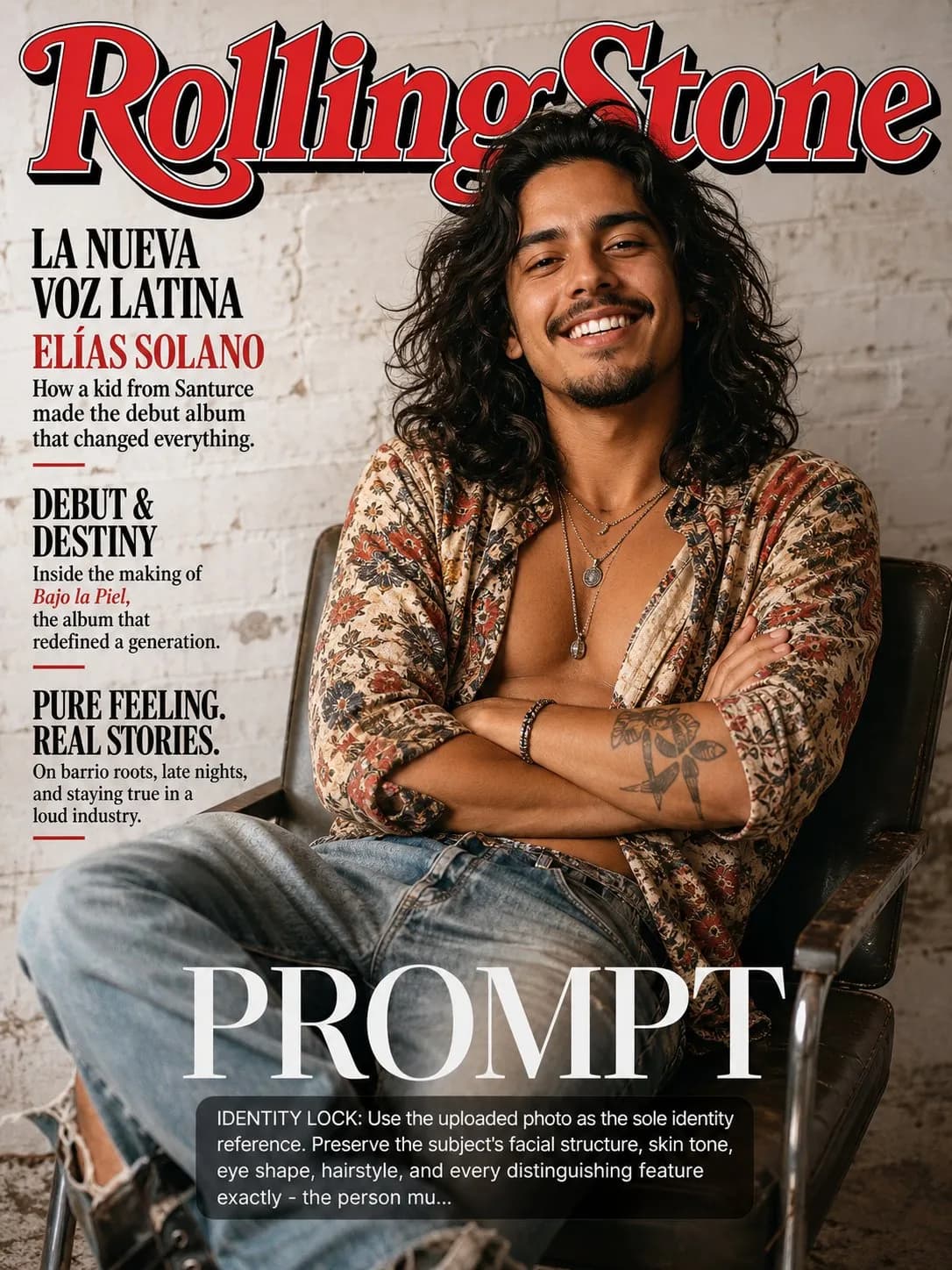
SCENE: Subject rendered as the cover of a fictional Rolling Stone issue — the definitive music culture magazine.
IDENTITY LOCK: Use the uploaded photo as the sole identity reference. Preserve the subject's facial structure, skin tone, eye shape, hairstyle, and every distinguishing feature exactly — the person must remain instantly recognizable. SCENE: Subject rendered as the cover of a fictional Rolling Stone issue — the definitive music culture magazine. The subject poses in a full-personality portrait: not stiff, not formal — how a rock star, hip-hop legend, or music icon sits for a magazine portrait. Leaning slightly, arms crossed, or seated casually. The background is clean — either seamless white or a textured grungy studio wall that speaks music. PHYSICS & CRAFT: The classic Annie Leibovitz register — large, soft, beautiful light from a massive source (octabox or window equivalent), producing gentle transitions and rich skin tones. 2:1 light ratio maximum. The light honors the personality in the frame — this is someone whose inner life is interesting, and the light reflects that. Catchlights are clean and centered. TECHNICAL EXECUTION: 85mm f/2.8, slightly warm color balance, rich saturation in midtones, clean highlights. The Rolling Stone masthead in recognizable red and black. Cover lines in classic RS typography reference the fictional artist's career milestone. Portrait feels like a collaboration between subject and photographer. HARD CONSTRAINTS: Do not impose a music costume or add instruments unless they organically fit the subject's clothes and posture. Do not change their expression — if they look like they have a sense of humor, let it show. Do not add tattoos. The magazine title and cover line context should be fictional but plausible.

0 people have copied this prompt
Rolling Stone Music Legend Cover is a poster prompt for GPT Image 2, composed for a 3:4 image. SCENE: Subject rendered as the cover of a fictional Rolling Stone issue — the definitive music culture magazine.
SCENE: Subject rendered as the cover of a fictional Rolling Stone issue — the definitive music culture magazine.
Keep the prompt structure, then replace the main subject, action, or environment in "SCENE: Subject rendered as the cover of a fictional Rolling Stone issue — the definitive music culture magazine.".
Adjust one visual signal at a time, such as "85mm", "f/2.8", "rolling stone cover prompt", "music magazine cover ai", so you can identify which instruction changes the result.
Use the portrait frame for editorial-style compositions with enough surrounding context to establish the scene.
Use one clear reference image and retain the identity-lock instructions when changing clothing, lighting, background, or camera direction.
Use direct natural-language edits after the first generation. State what must remain unchanged before describing the single element you want to revise.
Judge the result by hierarchy: the main subject must read first, supporting graphics second, and any text area must remain uncluttered.
Three simple steps to generate your AI image.
Click the "Copy Full Prompt" button above to copy the entire prompt text to your clipboard instantly.
Open your preferred image generator and paste the prompt into the text input. You're ready to create.
Hit generate and watch the magic happen. Tweak the prompt parameters to make it your own.